Edit Leader Data
This module enables the quick, web-based entry and storage of structured data and object relationships. Key features include creating, editing, and managing data, as well as deleting and exporting it.
Create Data
Leader data can be created either manually via the Data Management module’s interface or through a standardized interface. In both cases, specially designed validation processes based on a technical INUBIT workflow can be initiated. In this process, validity and completeness checks can be performed automatically. Data records can be manually created and populated using the “plus sign.”
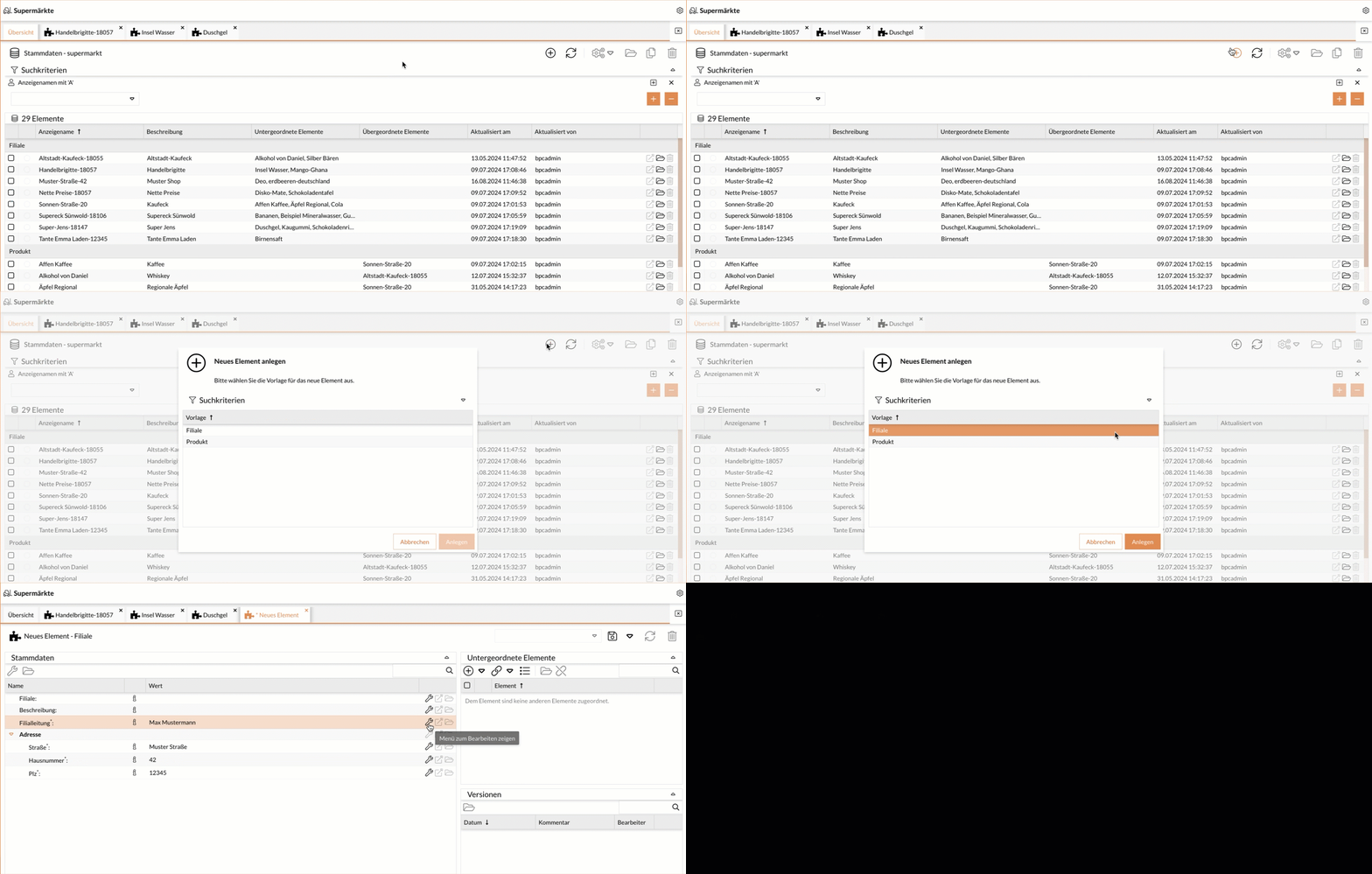
Edit Data
The following business transactions can trigger the “Leader Data Change” process:
-
Existing Leader data is to be completely replaced.
-
Additional data is added to existing Leader data.
-
Existing Leader data is to be partially replaced.
-
Missing Leader data is added.
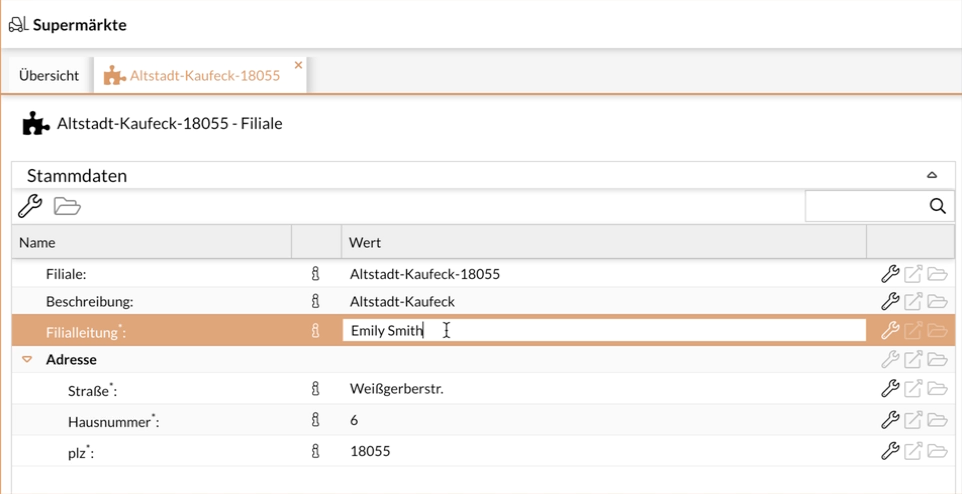
This activity allows you to change values in previously entered data:
-
Open the record and double-click on the row; then make the change.
-
Then click Save.
The date of the last modification is logged in the record.
