Plugins
It is possible to embed functions from individual modules into other modules using the plugin mechanism. A module that can be extended via plugins defines specific areas (called "hooks") in its interface where plugins can be placed. A module that wishes to offer plugin functions defines explicit plugin components (called “plugins”).
A plugin is an element of the user interface. Every BPC module can provide plugins.
A hook is a type of placeholder that can be filled with one or more plugins. A BPC module can provide any number of these hooks.
Configuration
The specific assignment between a hook and a plugin is performed by the administrator in the BPC configuration area. There, you first select the tab for the module to which a plugin is to be assigned. On the left side, you’ll find the “Plugins” option (this is only visible if the module in question supports plugins).
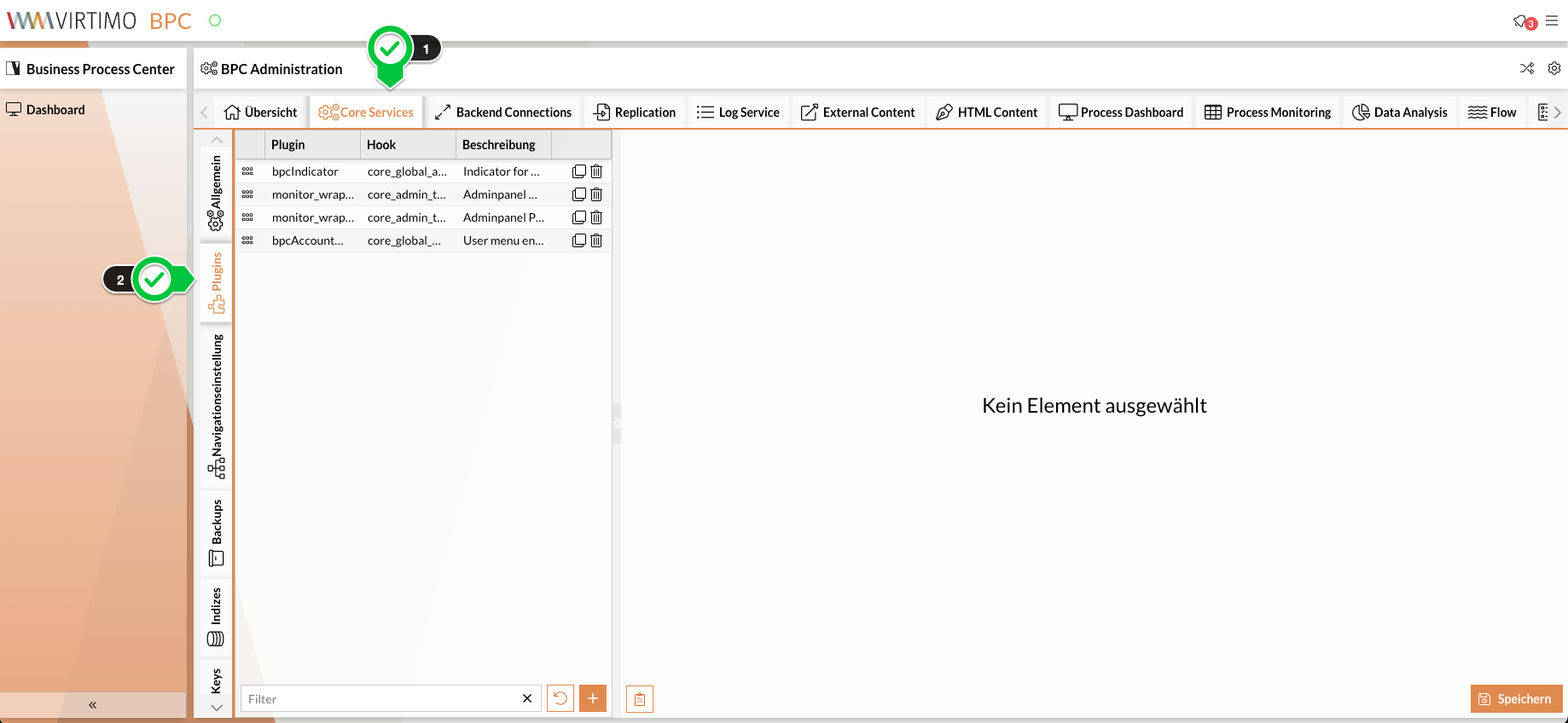
In the configuration interface, plugins can be assigned to the module. To do this, a new entry must be created in the list. Next, select the plugin to be used and the hook in which the plugin should be placed on the left-hand side. The selected plugin can now be configured as follows:
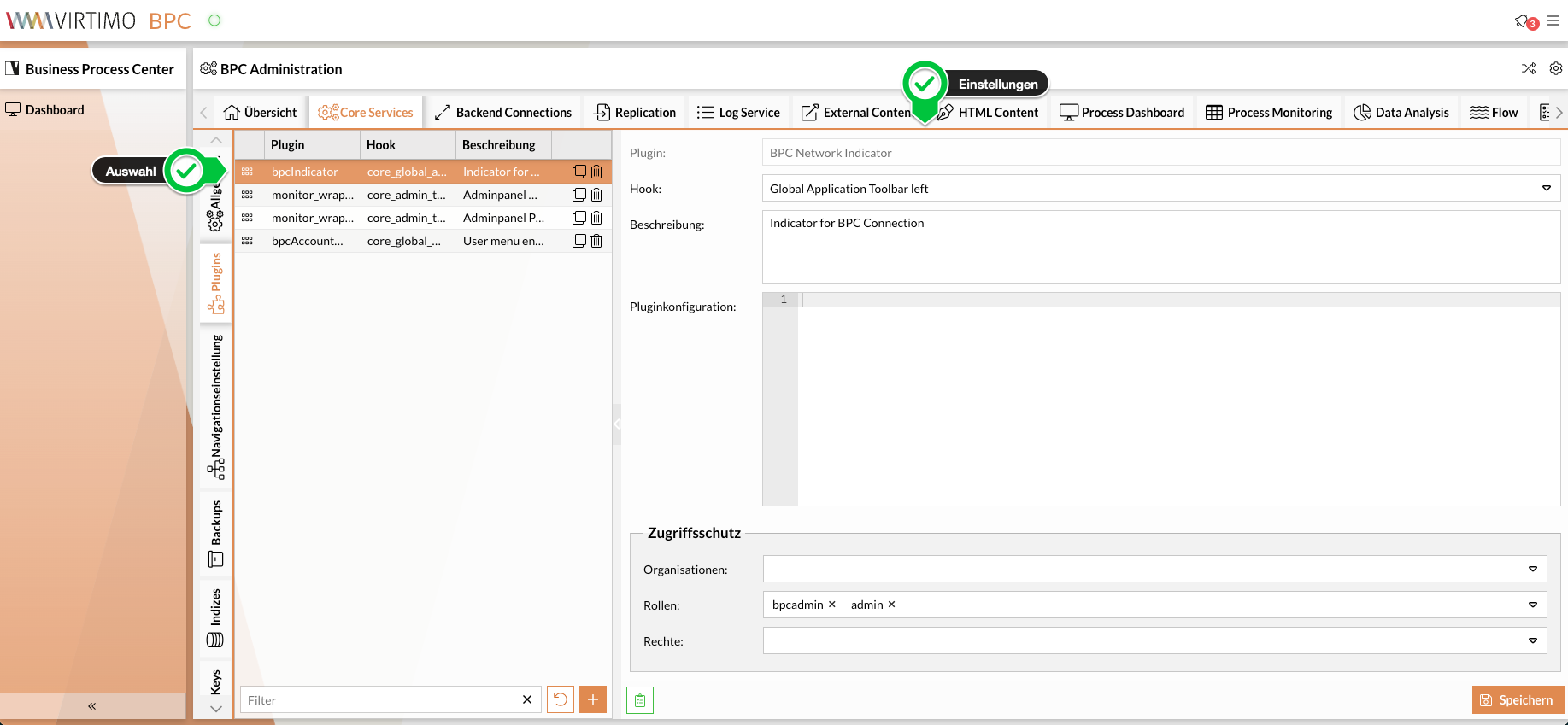
Hook
Hook in which the module should be placed. The available hooks depend on the module in which you are currently configuring the plugin.
Component
If the current module can consist of multiple components/instances (such as Process Monitoring), you can select here for which components/instances the plugin assignment should apply. If nothing is entered here, the plugin will be added to all components/instances.
Organization / Roles / Permissions
Here, you can make the plugin assignment dependent on the respective user. The plugin will only be displayed if the user has the configured organization / roles / permissions.
Plugin Configuration
Here, you can specify an additional JSON configuration that is evaluated by the respective plugin. This should be described in the plugin’s documentation.
cmpConfiguration
Unless the plugin prevents it, it is possible to set configuration parameters directly on the plugin component using a cmpConfiguration object.
This can be useful, for example, if the plugin does not have its own title, but the hook displays the plugins as tabs.
{
    "cmpConfiguration": {
        "title": "TAB1",
        "iconCls": "x-fa fa-fire"
    }
}|
Incorrect or inappropriate configuration can lead to errors when creating or using the plugin. |
hookSubId
Some modules use the same hook multiple times.
In this case, a hookSubId may be used to distinguish between them.
If this is the case, the appropriate hookSubId must also be set here in the JSON configuration.
If a hookSubId is configured here, the hook must also have this hookSubId. Otherwise, the plugin will not be displayed.
The use of hookSubId should be documented in the documentation for the respective hook.
{
  "hookSubId": "passende_hookSubId_zum_hook"
}