External Content
The "External Content" Service integrates applications from the Internet or the respective network via an IFrame. It also offers the option to load applications through the internal BPC proxy. This allows for authentication via BasicAuth, takes upstream proxy servers into account, and adjusts set HTTP headers. Furthermore, the integrated web pages can also be embedded in BPC dashboards, either in their entirety or in part, via a widget.
Prerequisites
To use the External Content module, the following prerequisites must be met:
-
You must have the " `loadModule_externalContent`" permission to access the module.
-
To use the internal BPC proxy, a backend connection component of type http_proxy must be created; see Backend Connections.
Creating an External Content Module
This section describes how to create and configure a new External Content Module. The module type for this module is "proxy."
-
Navigate to the BPC administration area.
-
Create a new module of type "proxy."
-
Configure the parameters according to your requirements.
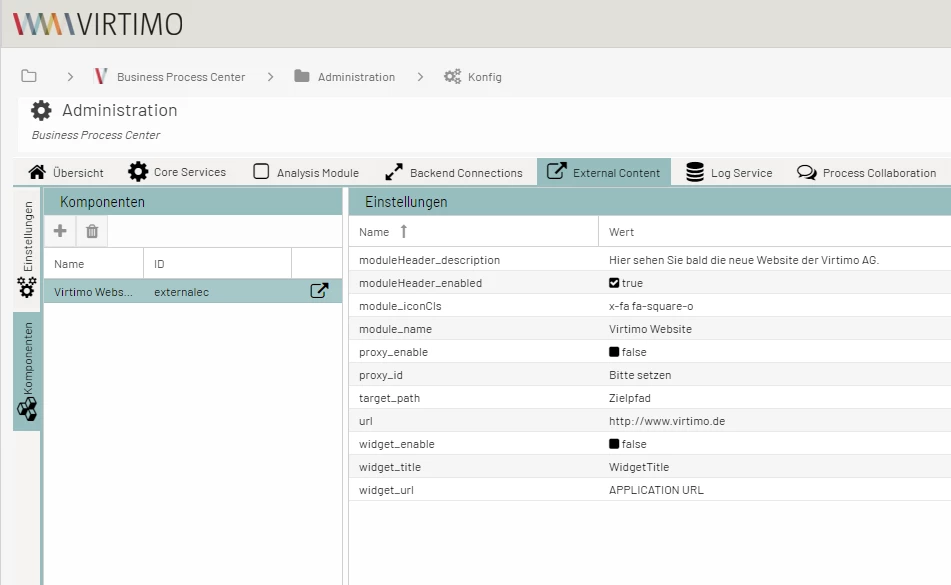
The External Content module has been successfully created and is ready for use.
Configuration Parameters
The following table describes the available configuration parameters for the External Content module.
Module
General module settings
Name (ID) |
Description |
|---|---|
Icon |
Individually selectable icon that is displayed before the title. |
Target
Settings for the target system
Name (ID) |
Description |
|---|---|
URL |
URL of the website to be embedded. Is ignored if the use of a proxy is activated. |
Proxy
Proxy settings
Name (ID) |
Description |
|---|---|
Enable |
If activated, the connection is not made directly, but via a backend connection of the type HTTP proxy. |
Proxy ID |
ID of the backend connection to be used. |
Target Path |
Additional path information that is appended to the URL configured on the proxy. |
Example of integration
The following example shows how to integrate an external website using a URL.
Example with the following URL: https://www.Virtimo.de
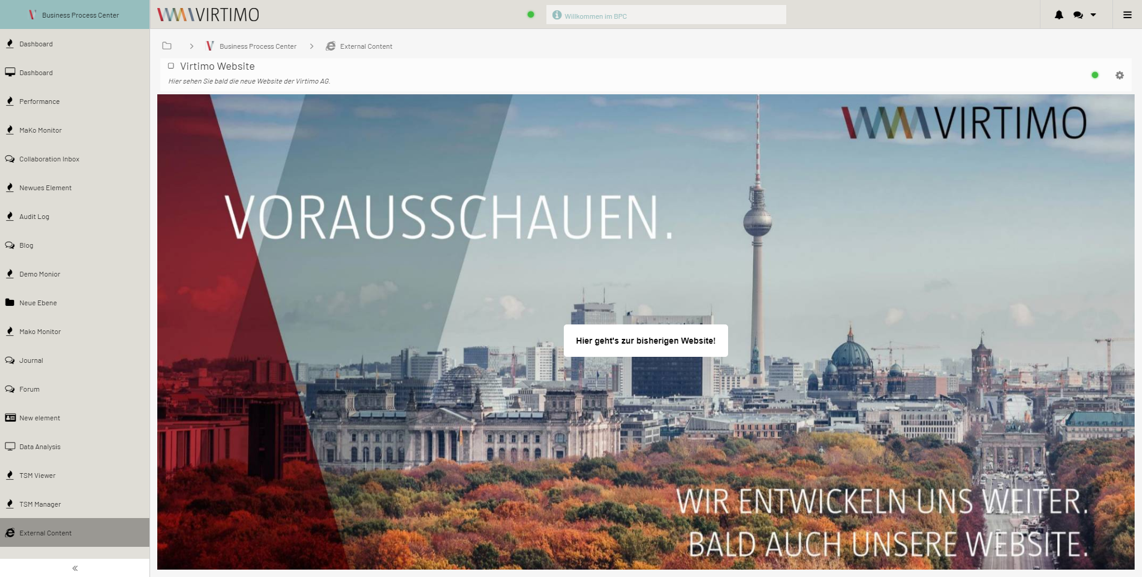
The external website is now displayed within the BPC.
