Install the Keycloak Theme
To customize the appearance of the Keycloak login screen, you can install a theme in Keycloak. To obtain the Virtimo Keycloak theme, please contact support and specify your Keycloak version.
For more information on Keycloak themes, see the official Keycloak documentation.
Configuration
The theme is configured via the Keycloak Admin Console.
-
In the Keycloak Admin Console, select the realm where you want to use the theme and navigate to Realm settings.
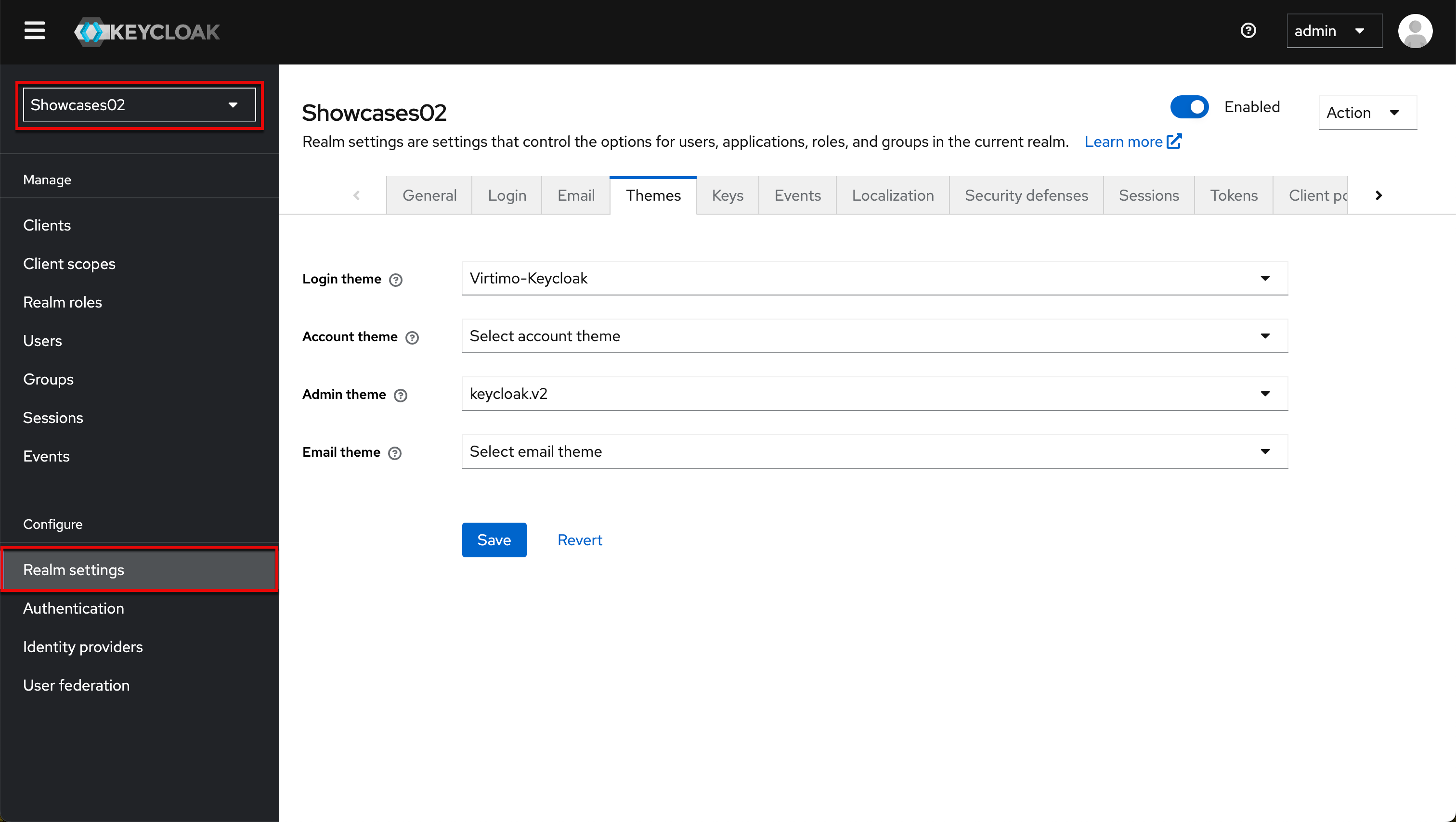
-
Go to the Themes tab and select the desired themes. Save to activate the theme.

Multilingual Support
To enable multilingual support: Enable “Internationalization Enabled” (1), specify supported languages (2)

Keywords:
