Flow
Flow is a specialized extension of the HTTP proxy Backend Connections. The module is used to connect process engines such as IGUASU and INUBIT to the BPC. Detailed documentation on the IGUASU integration can be found under Configuring Process Engines.
User Interface (Flow Manager)
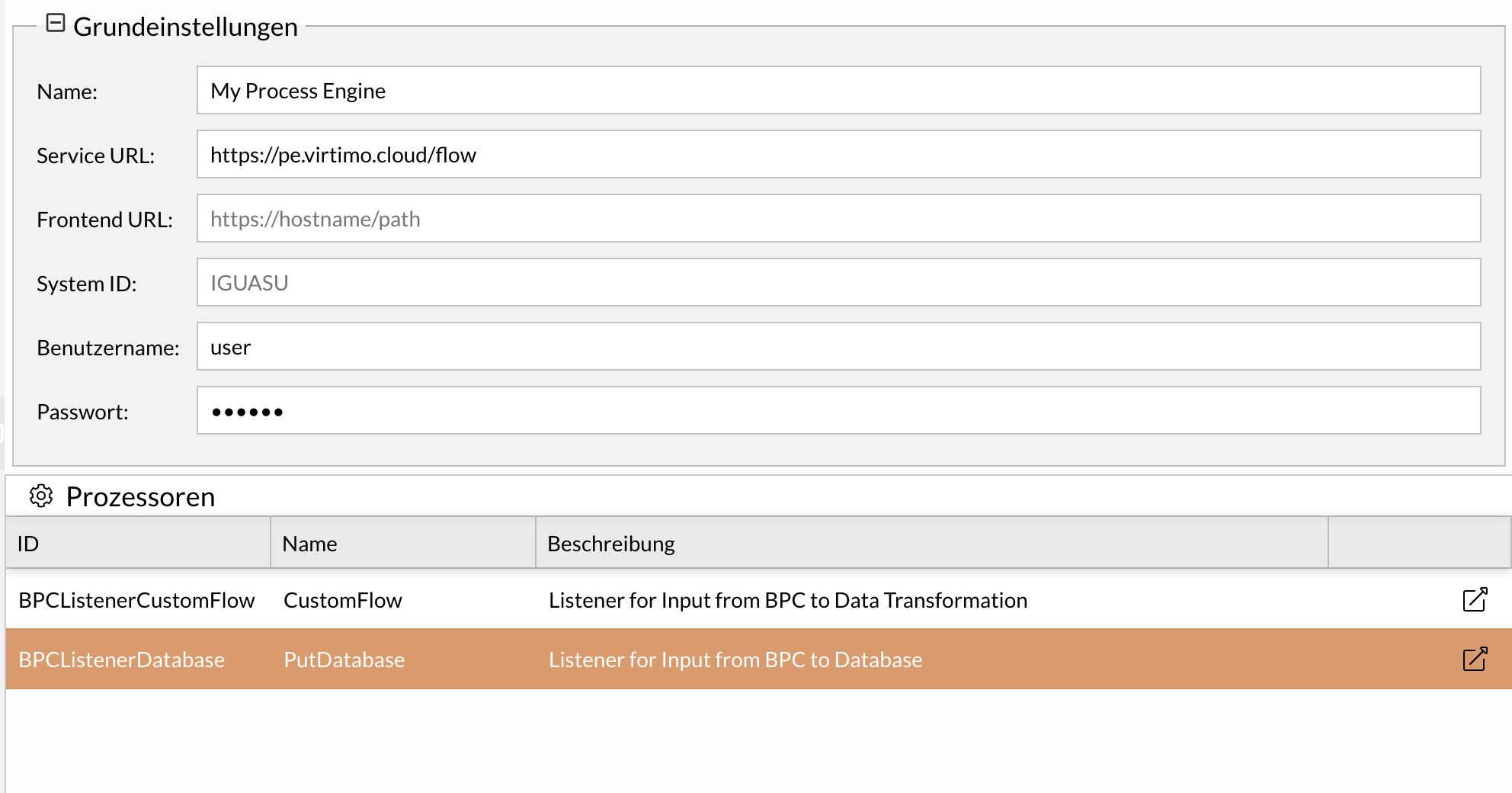
The Flow Manager allows for quick configuration of the most important basic settings of a Flow component. The "Processors" table lists all available endpoints of the Process Engine with which the BPC can communicate. This table contains the ID, name, and description of the processors configured in IGUASU or INUBIT.
|
Jumping directly to a processor via the jump column requires a correctly set Service or frontend URL. If an internal URL is used as the Service URL, a frontend URL must also be configured for external access. |
Prerequisites
To use flow components, the following prerequisites must be met:
-
A connection to a process engine (IGUASU or INUBIT) is technically possible.
-
You have the necessary administrative rights in BPC.
-
A configured monitor view is required to navigate from the monitor.
Create a Flow Component
This section describes how to create a new flow component for a process engine.
-
Navigate to the Flow tab.
-
Click the plus icon to add a new component.
-
In the Type field, select the desired process engine (INUBIT or IGUASU).
The specific configuration options for the selected type are displayed.
-
Configure the Parameters according to the requirements of your process engine.
-
Click Save ().
The new flow component has been successfully created and is ready for use.
Configuration for INUBIT
The following parameters are available for the INUBIT type:
Module
General module settings
Name (ID) |
Description |
|---|---|
Name |
Name or title of the module/component. |
Icon |
Individually selectable icon that is displayed before the title. |
Target
Settings for the target system
Name (ID) |
Description |
|---|---|
Service URL |
This parameter defines the base URL to the target system and is prefixed each time it is used if no frontend URL is defined. |
Frontend URL |
If the Flow frontend is accessible under a different URL, this can be configured here. This is relevant for jumps from the BPC to the Flow. e.g. https://flow.virtimo.de/flow |
Proxy
Proxy settings
Name (ID) |
Description |
|---|---|
Hostname |
The host name of the network proxy server to be used. |
Port |
The port under which the proxy server can be reached. |
HTTP Header Filter |
List of header names that are to be filtered out. For security purposes the BPC API key header ("X-APIKey") is always filtered out. |
Connection
Settings for establishing a backend connection
Name (ID) |
Description |
|---|---|
Username |
Username for authentication of the connection |
Password |
Password for authentication of the connection (BasicAuth on the target server) |
Timeout |
Timeout of the connection in seconds. |
Security
Application security settings
Name (ID) |
Description |
|---|---|
Inject OIDC ID-Token |
An OIDC ID-Token is set in the header ("X-Bpc-Session"), which contains the user information. |
Send BPC session id |
If active, a session id is passed (in the header "X-Bpc-SessionId") that allows to query for the user information including roles and rights, but without allowing to use the API-endpoints. |
Disable TLS Certificate Checks |
The server's certificate is not checked when the TLS connection is established. |
CSRF Token Check |
Enables the CSRF token check. |
Configuration for IGUASU
The following parameters are available for the IGUASU type:
Module
General module settings
Name (ID) |
Description |
|---|---|
Name |
Name or title of the module/component. |
Icon |
Individually selectable icon that is displayed before the title. |
Target
Settings for the target system
Name (ID) |
Description |
|---|---|
Service URL |
This parameter defines the base URL to the target system and is prefixed each time it is used if no frontend URL is defined. |
Frontend URL |
If the Flow frontend is accessible under a different URL, this can be configured here. This is relevant for jumps from the BPC to the Flow. e.g. https://flow.virtimo.de/flow |
System ID |
The system ID is configured in the IGUASU HybridRESTClientController Service and is only relevant if the BPC receives messages from different IGUASU instances. Default value: IGUASU |
Proxy
Proxy settings
Name (ID) |
Description |
|---|---|
Hostname |
The host name of the network proxy server to be used. |
Port |
The port under which the proxy server can be reached. |
HTTP Header Filter |
List of header names that are to be filtered out. For security purposes the BPC API key header ("X-APIKey") is always filtered out. |
HTTP-Header |
Additional HTTP headers that are sent when the target system is called. It is possible to use placeholders such as "${license.KeyID}" or "${config.de.virtimo.bpc.core.karaf.uuid}" in the values. |
Connection
Settings for establishing a backend connection
Name (ID) |
Description |
|---|---|
Username |
Username for authentication of the connection |
Password |
Password for authentication of the connection (BasicAuth on the target server) |
Timeout |
Timeout of the connection in seconds. |
Security
Application security settings
Name (ID) |
Description |
|---|---|
Inject OIDC ID-Token |
An OIDC ID-Token is set in the header ("X-Bpc-Session"), which contains the user information. |
Send BPC session id |
If active, a session id is passed (in the header "X-Bpc-SessionId") that allows to query for the user information including roles and rights, but without allowing to use the API-endpoints. |
Disable TLS Certificate Checks |
The server's certificate is not checked when the TLS connection is established. |
CSRF Token Check |
Enables the CSRF token check. |
Configuring a Jump to IGUASU in Process Monitoring
You can configure Process Monitoring so that users can jump directly from a monitor view to a process or Service in IGUASU.
Prerequisites:
-
Ensure that a flow component has been created that has established a connection to the Process Engine (IGUASU or INUBIT).
The ID of this component will be needed later. -
The Process Engine must write the necessary reference information to the Log Service.
IGUASU automatically writes the reference information when the BPC Logger is selected or when the PutBPCAuditLog processor is used. The reference information is a JSON object with the following fields:
{
  "system": "IGUASU",
  "instance": <ID der Instanz>,
  "type": "iguasu",
  "processor": <ID des Prozessors>
}-
Configure the index (
data_index) in the monitor settings using the Log Service component that you use to write the data. -
Navigate to the column configuration (
column_config) in the monitor settings.
If AuditLogs or ProcessLogs have been created, a column with the indexexternalReferenceis automatically generated on the monitor. -
Enter the
flowId(the ID of the flow component) in the configuration of this column.
{
    "filter": {
        "type": "json"
    },
    "hidden": false,
    "dataIndex": "externalReference", (3)
    "hideable": true,
    "width": 200,
    "customRenderer": "flow!_!flowRenderer", (1)
    "minWidth": 64,
    "hideUnknownObjects": true, (2)
    "text": "externalReference", (3)
    "sortable": true,
    "linkIcon": "x-fal fa-fire", (4)
    "flowId": "mein-iguasu" (5)
}
| 1 | Required if the column’s content is to be transformed into a link. |
| 2 | Optional. Hides unknown objects that are not of type iguasu or inubit. |
| 3 | The name externalReference is the default created by Log Service, but it is not mandatory and can be changed. |
| 4 | Optional. Defines the icon displayed next to the text. |
| 5 | Required to generate links using the customRenderer ("flow!_!flowRenderer"). ID of the flow component that references the system writing data to the Log Service. |
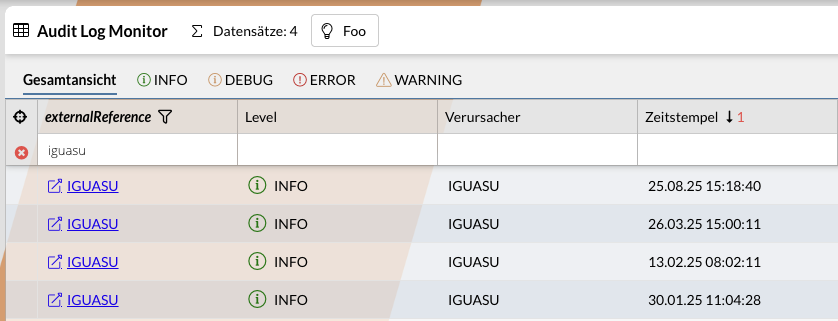
This enables jumping from a monitor record to the event, processor, or Service in IGUASU.
Linking Flow Processors to the Monitor
-
If necessary, link processors directly in the monitor settings.
-
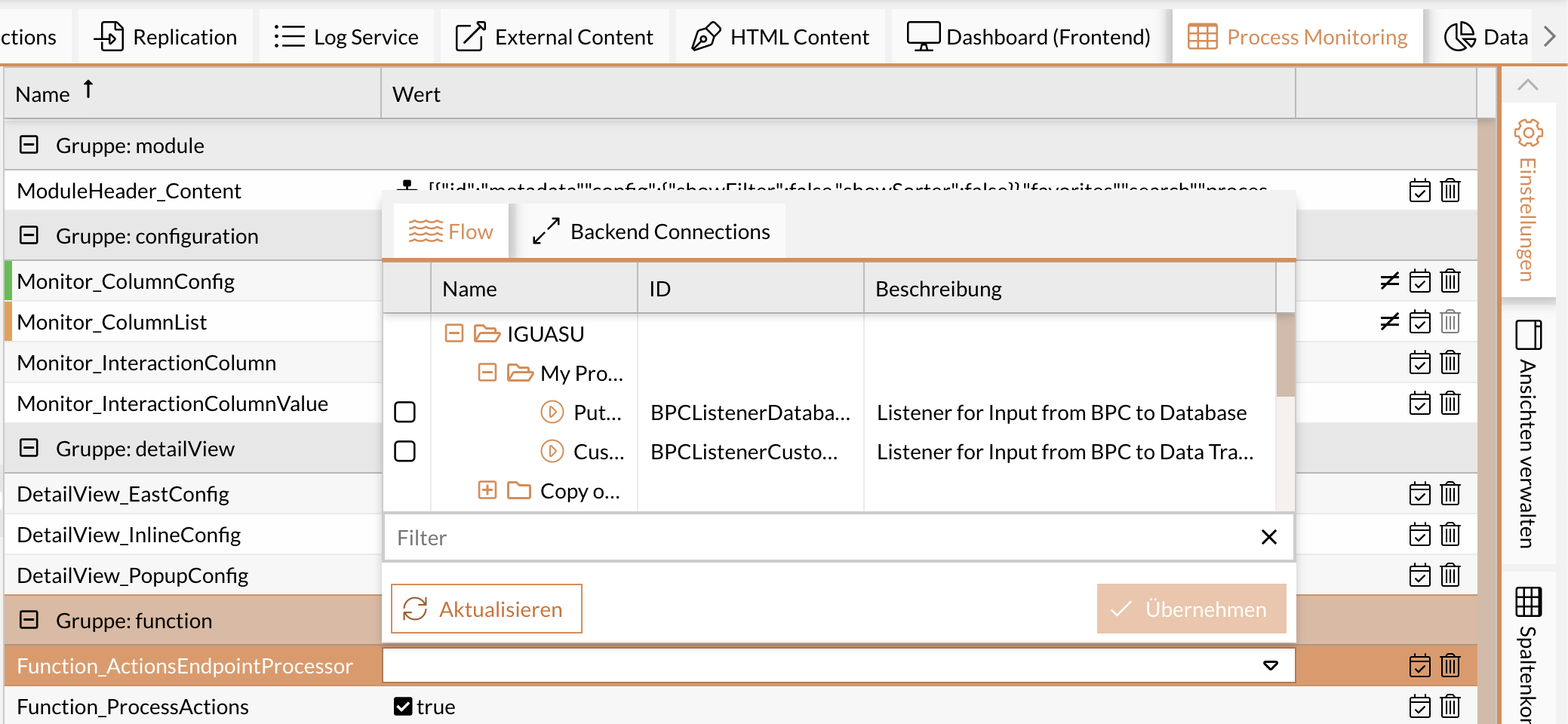
You can select processors in the settings under “Endpoint or Processor”:
-
vpsEndpointProcessor(Process Starter) -
actionEndpointProcessor(Process Actions) -
bulkActionEndpointProcessor(Multiple Actions) -
changeStateEndpointProcessor(Status Change)
-
This enables actions such as status changes or multiple actions directly via flow processors.