Sharing a Process
To share the currently selected process, a central function is available via an icon in the function area menu.
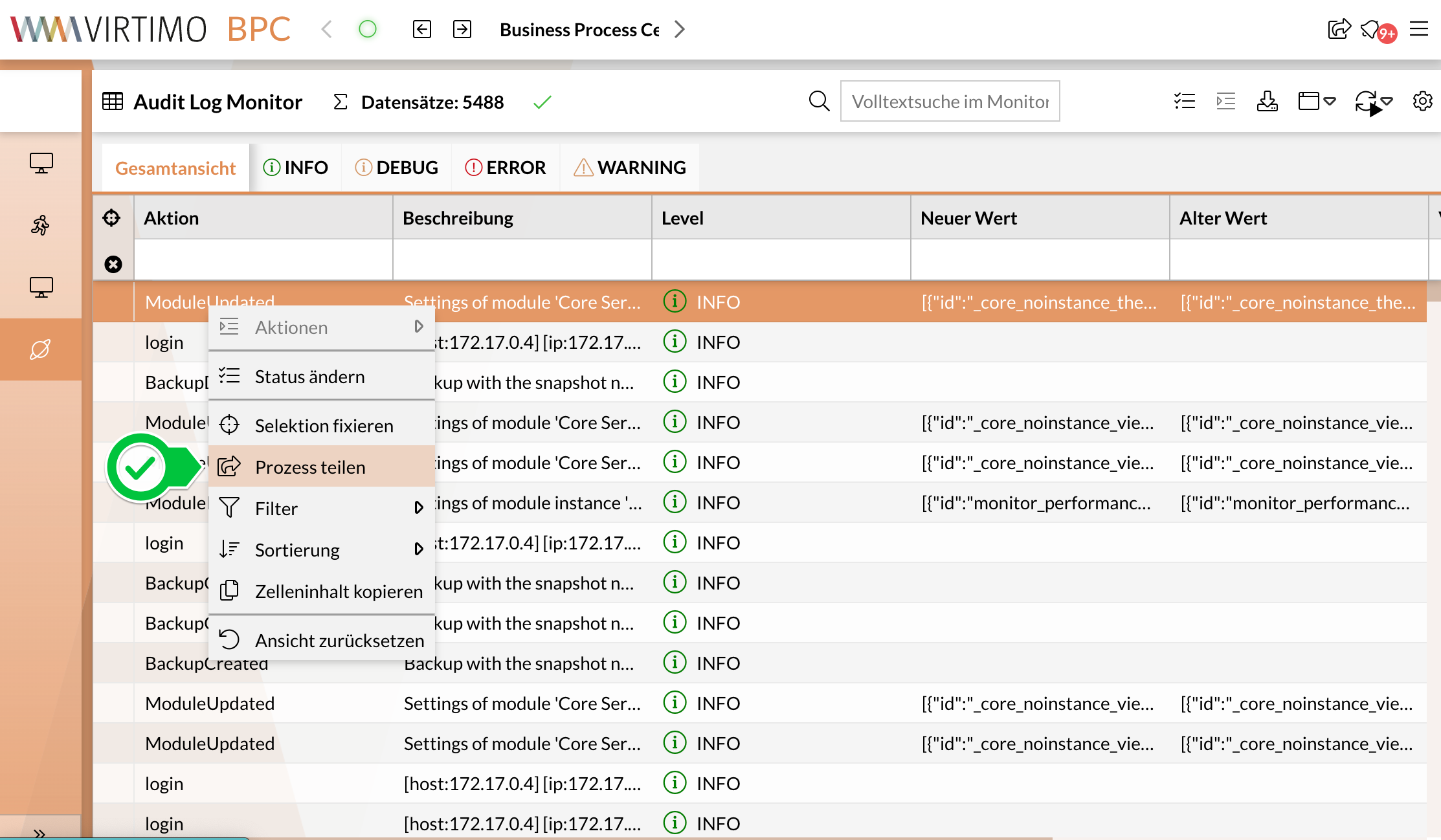
The user should first select the process they want to share (with a simple mouse click). Right-clicking opens the context menu, which contains the “Share Process” button (see screenshot).
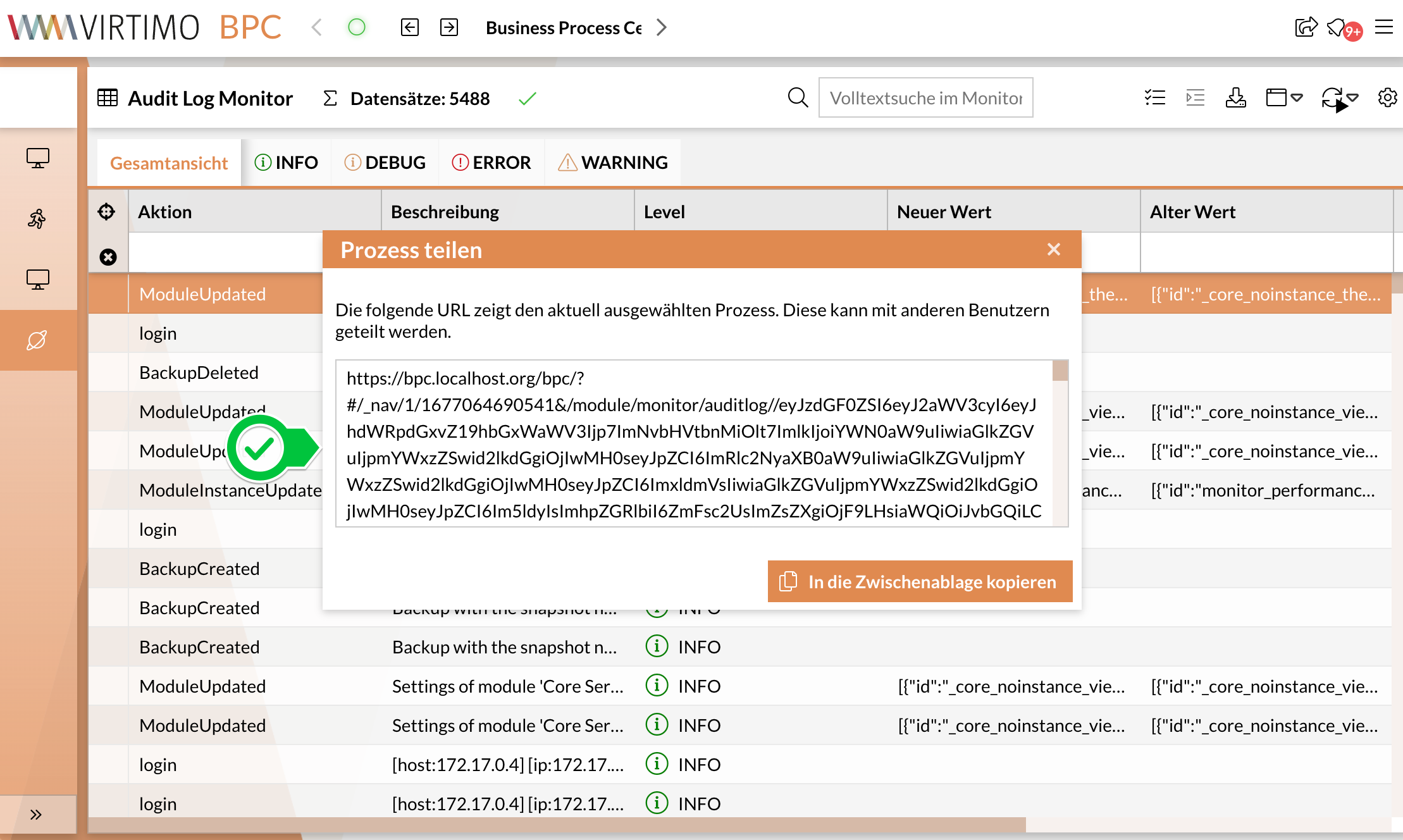
After clicking this menu item, a new window opens. The window contains a URL that leads to the current monitor, where the currently selected process is filtered and displayed. Users can copy the URL directly to the clipboard and share it with others.