Display Task Information
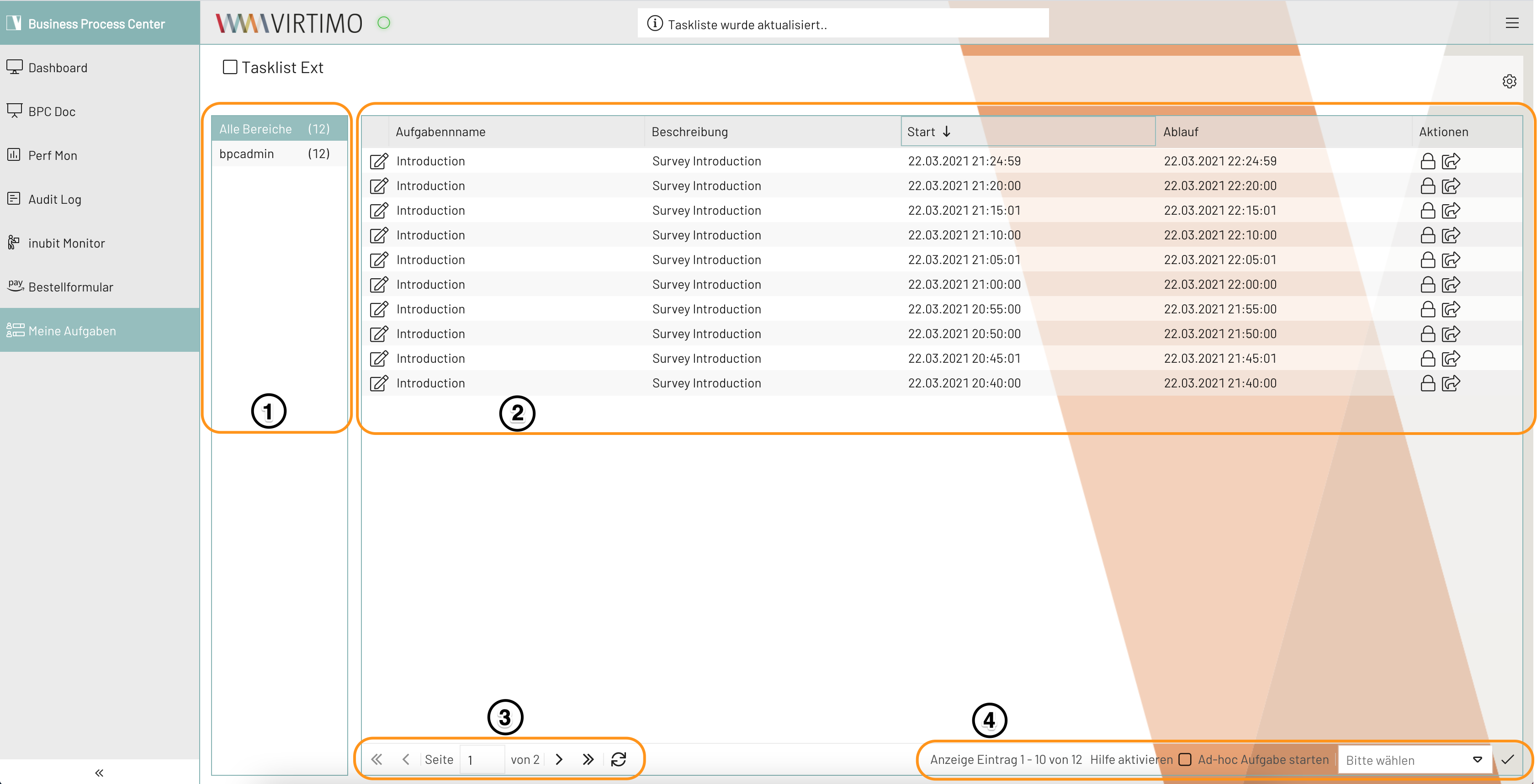
Process Roles (No. 1)
This section displays all process roles of the current user for which tasks exist. Select the appropriate role here to view the list of all tasks.
Task List (No. 2)
All tasks are displayed in a table. You can use the columns to sort, filter, and narrow down the tasks so that they can be processed quickly. You can accept or delegate tasks directly using the Actions column. Double-clicking a task opens it.
Task Name
Displays the name of the task. The name comes from the corresponding dialog box that was filled out or generated when the task was created.
Description
A brief description from the dialog box of the same name that was filled out when the module was created.
