User administration / Identity Manager
The BPC offers integrated user administration. The specific range of functions is defined by the identity provider (IdP) used and the authorizations of the current user.
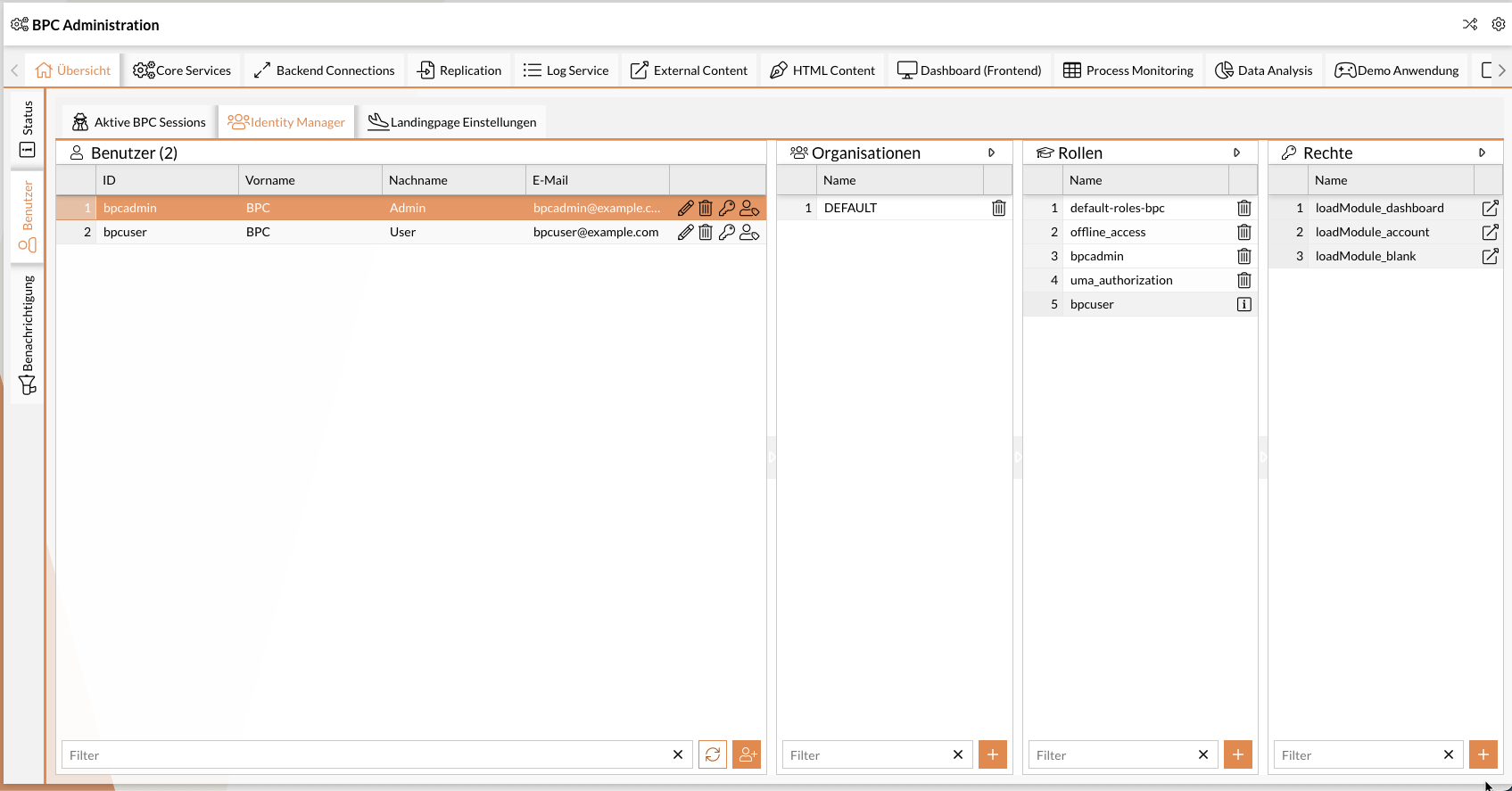
|
The functions are also available via API. See Identity Management API. |
Functions
The individual functions and the authorizations required (in the BPC) to use them are described in more detail below. If several required authorizations are listed, at least one of them is always required, not all of them together.
|
You may need to store additional authorizations in your identity provider. This is particularly necessary for Keycloak. See Keycloak authorizations. |
Listing users of the Identity Provider
Lists all users stored in the Identity Provider. The name and e-mail address are displayed, if available.
Required BPC permissions
-
Role
bpcadmin, -
Role
IDENTITY_MANAGER_ADMIN, -
Right
IDENTITY_MANAGER_USERS_READ
Display permissions of a user
Shows all organizations, roles and rights of a user if this user is selected in the list of users.
Required BPC authorizations
-
Role
bpcadmin, -
Role
IDENTITY_MANAGER_ADMIN, -
Right
IDENTITY_MANAGER_USER_ORGANISATIONS_READ, -
Right
IDENTITY_MANAGER_USER_ROLES_READ, -
Right
IDENTITY_MANAGER_USER_RIGHTS_READ
Create new users
This function can be used to create new users in the Identity Provider.
RequiredBPCauthorizations
-
Role
bpcadmin, -
Role
IDENTITY_MANAGER_ADMIN, -
Right
IDENTITY_MANAGER_USERS_ADD
Edit user data
Edit user data such as name and e-mail.
Required BPC authorizations
-
Role
bpcadmin, -
Role
IDENTITY_MANAGER_ADMIN, -
Right
IDENTITY_MANAGER_USERS_UPDATE
Set password
Set the password of a user.
RequiredBPCauthorizations
-
Role
bpcadmin, -
Role
IDENTITY_MANAGER_ADMIN, -
Right
IDENTITY_MANAGER_USERS_UPDATE
Delete user
Deletes a user from the Identity Provider.
Required BPC authorizations
-
Role
bpcadmin, -
Role
IDENTITY_MANAGER_ADMIN, -
Right
IDENTITY_MANAGER_USERS_UPDATE
Imitate user
Imitates another user in the system. You are then logged into the BPC with the authorizations and identity of the other user.
See also Imitating users with Keycloak.
Required BPC permissions
-
Role
bpcadmin, -
Role
IDENTITY_MANAGER_ADMIN, -
Right
IDENTITY_MANAGER_USER_IMPERSONATE
