Release Notes
This page describes the most important new features.
Changes within the BPC version are documented at Changelog.
Explanation of versioning
Versions with different version numbers are released regularly for the BPC. A version number consists of three parts: major.minor.patch.
A change in the major version number(e.g., 4.0) indicates that the release includes significant changes to the software.
For example, APIs may have been changed or removed, major changes may have been made to the user interface, or major features may have been removed or added.
A change to the minor version number(e.g., 4.3) may include new features, changes to existing features, or the removal of features.
In addition, changes may occur for supported platforms (e.g., databases, operating systems, Git versions).
A change to the patch version number(e.g., 4.3.1) may include bug fixes, stability improvements, and performance enhancements.
Minor changes to existing features may be included, but these do not include new features or critical changes.
Breaking changes are generally intended to address potential security vulnerabilities and may therefore occur in any release.
However, the goal is still to include these changes in major releases.
Breaking changes are highlighted in the Changelog.
5.0
Design
The BPC design has been slightly updated. For example, the main color has been changed, and some elements have become slightly rounder. The basic layout of the controls remains unchanged.
Administration UI
The administration interfaces have been updated. Forms are now provided throughout the system to offer guidance on settings. This is intended to prevent incorrect configurations and simplify usage.
Collaboration
BPC 5 is designed to support collaborative work. To this end, a Chat and Online User List have been introduced. Additional features will be added to support collaborative work in upcoming releases.
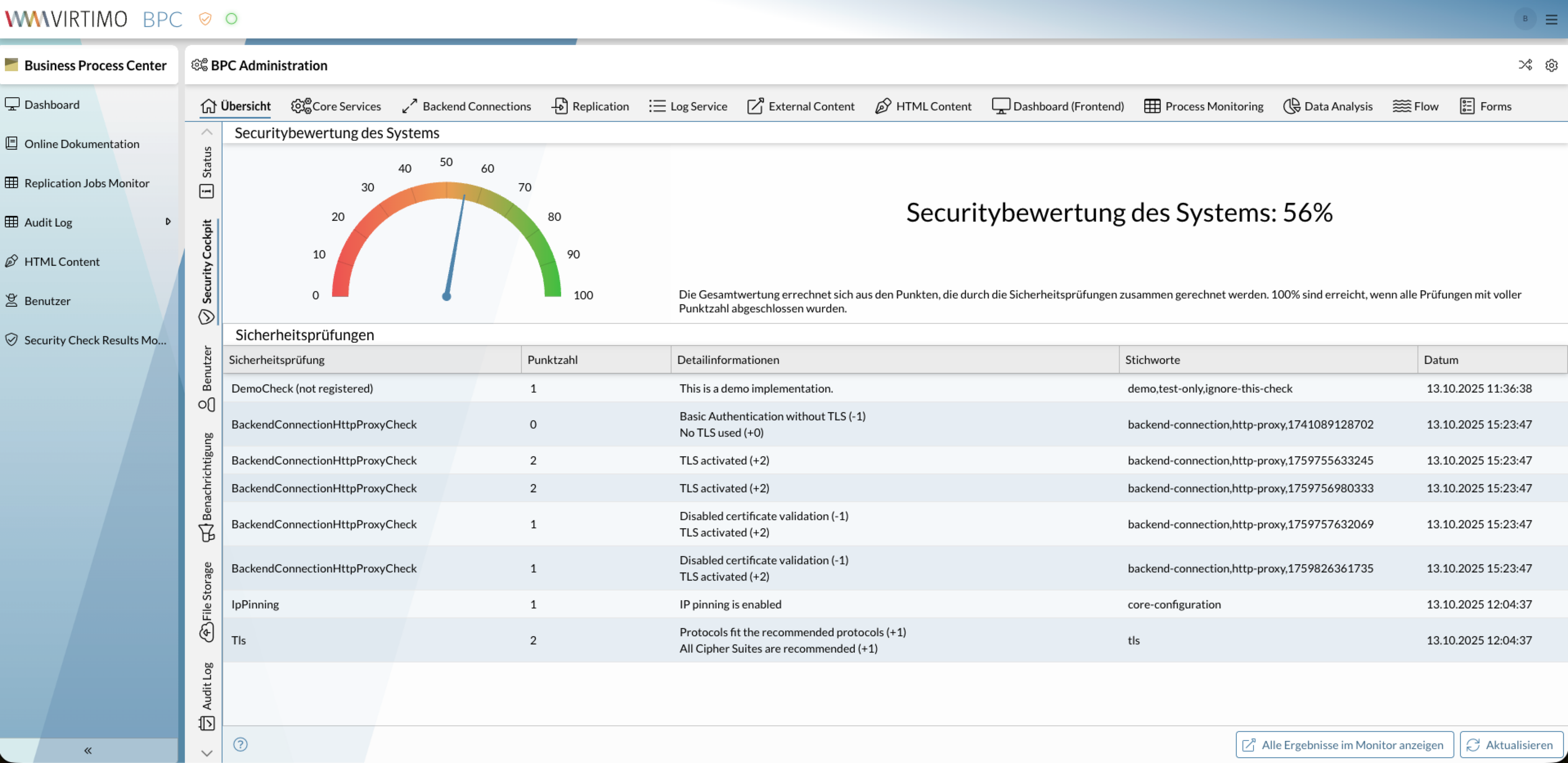
Security Cockpit
A Security Cockpit is now available in the administration area. This provides an overview of the IT security of the BPC installation. In addition, a plugin is available that directly displays the current status.
Detailed information can be found on the page Security Cockpit or under Security Cockpit Plugin.
S3 File Storage
An additional file storage API is now available, which allows you to store large files. This is intended to make it easy to store binary files along with your process data and integrate them into your processes.
See also File Storage File View
