JSON Editor column
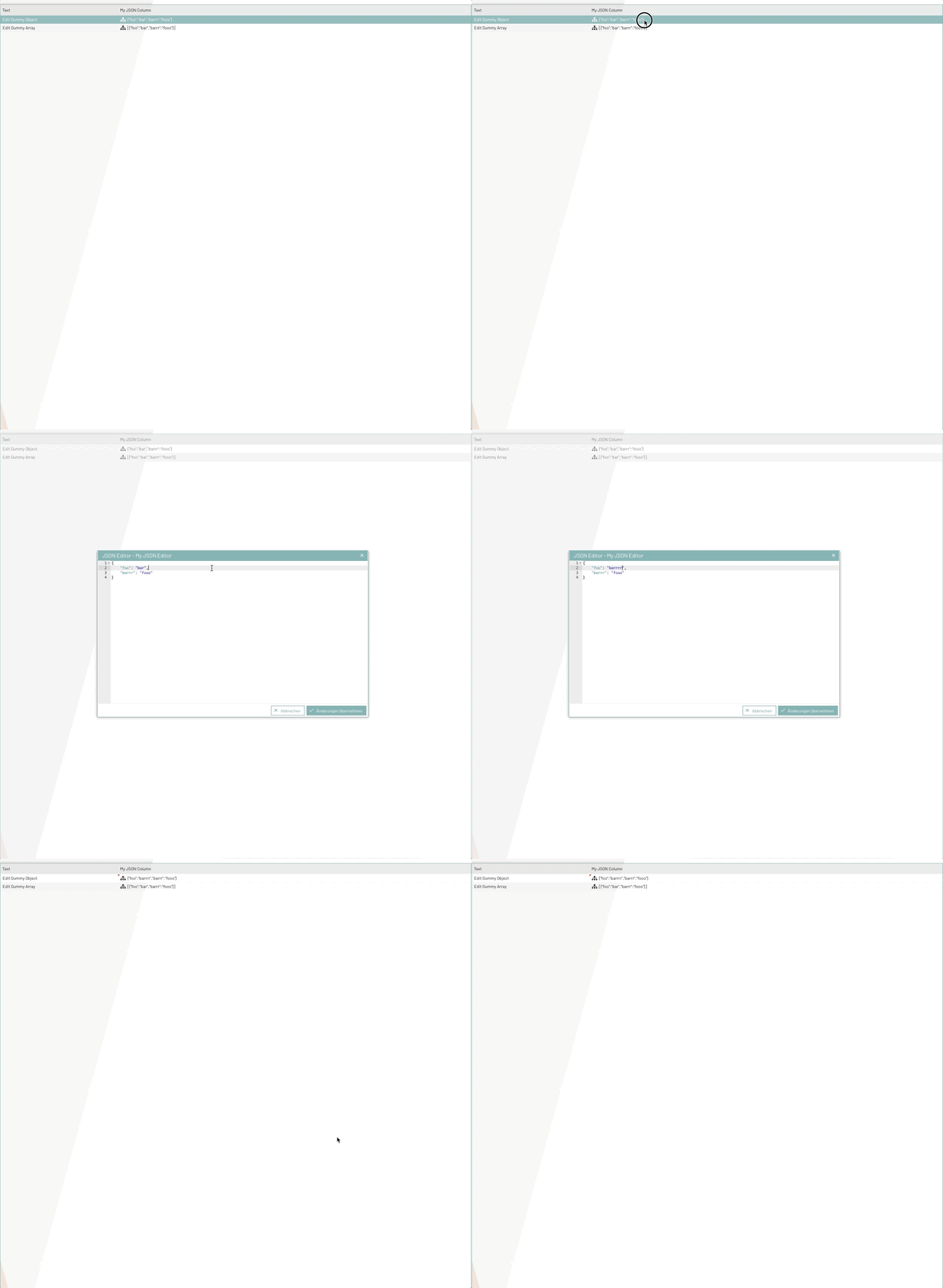
The bpcSettingColumn component can be used in Ext.grid.Panel for JSON settings. Once this column has been integrated into the grid, a "preview" of the JSON object can be displayed in the column. In addition, the column provides a JSON editor with which you can modify the JSON value by clicking on the cell. The following shows how to use this component in the code.
Usage
Requirement:
-
CellEditing plugin activated (see also:
Ext.grid.plugin.CellEditing) -
Store data model is
BpcCommon.component.data.ObservableModelor a derivation of this model (see also:BpcCommon.component.data.ObservableModel)
Example code of the column component
/**
 * This component should be defined under grid configuration -> columns: []
 */
{
   xtype : "bpcSettingColumn",
   dataIndex : "dataIndex",
   text : "My JSON Column"

   /**
    * If type is set to JSON, this column will
    * provide a json preview and a json editor
    */
   type : "json",

   /**
    * Set title for the json editor, which is in external popup window
    */
   codeEditorTitle : "My JSON Editor",
   // ...... Further configs as grid column
}
});
Beispiel Code - Verwendung im Ext.grid.Panel
Die Spalte lässt sich wie folgt in einem Ext.grid.Panel verwenden.
Ext.create("Ext.window.Window", {
   title   : "Demo JSON Editor Column",
   height  : 200,
   width   : 500,
   items: [
      {
         xtype   : "grid",
         height  : 200,
         width   : 500,

         // ATTENTION: This plugin must be activated
         plugins : {
            cellediting : {
               clicksToEdit : 1
            }
         },
         store : {
            // ATTENTION: Store must use this data model
            model : "BpcCommon.component.data.ObservableModel",
            data  : [
               { text: "Edit Dummy Object", myJsonData: { foo: "bar", barrr: "fooo" } },
               { text: "Edit Dummy Array", myJsonData: [{ foo: "bar", barrr: "fooo" }] }
            ]
         },
         columns : [
            {
               text      : "Text",
               dataIndex : "text",
               flex      : 1
            },
            {
               xtype           : "bpcSettingColumn",
               text            : "My JSON Column",
               dataIndex       : "myJsonData",
               flex            : 3,
               type            : "json",
               codeEditorTitle : "My JSON Editor"
            }
         ]
      }
   ]
}).show();
Demo
Keywords:
