Exporting JavaScript Files from the Repository
In a workflow, you can export JavaScript files from the repository using the Task Generator module. If all .js files are to be captured when exporting with the Task Generator, they must be specifically referenced.
Proceed as follows
-
In the INUBIT Workbench, display the Module Editor tab.
-
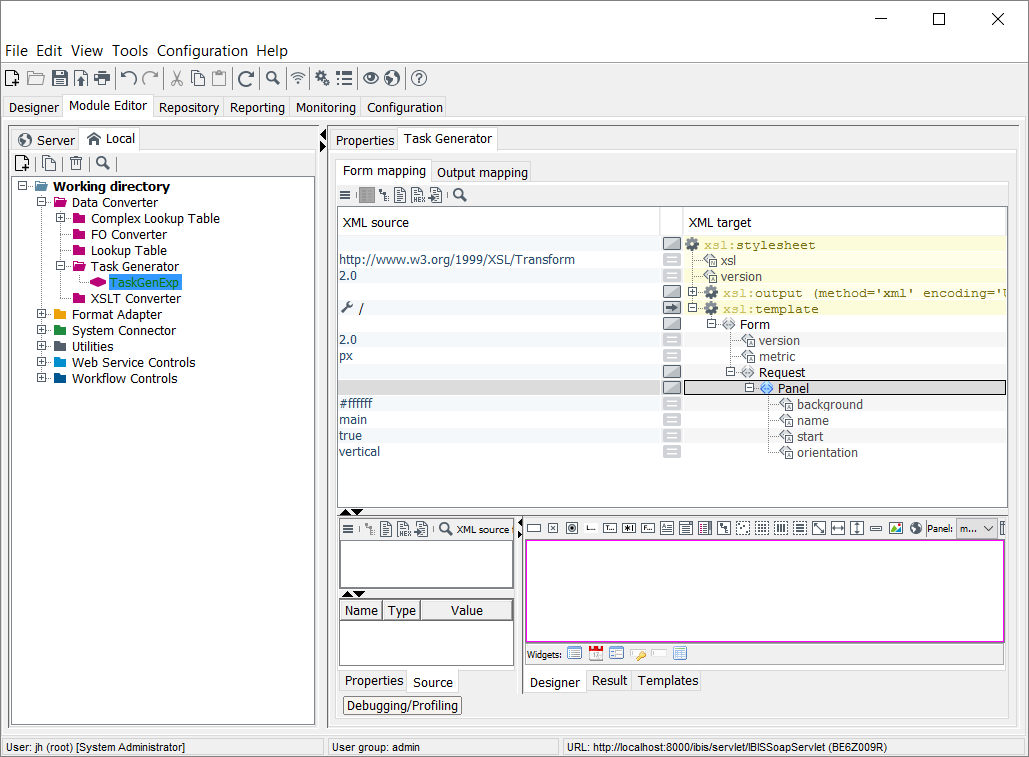
Open the module group Data Converter > Task Generator and select the respective Task Generator you want to export the repository JavaScript file with.
-
Add the element
Scriptto the XML target tab at the same level as thePanelelement. -
Assign the attributes
languageandsrcto theScriptelement.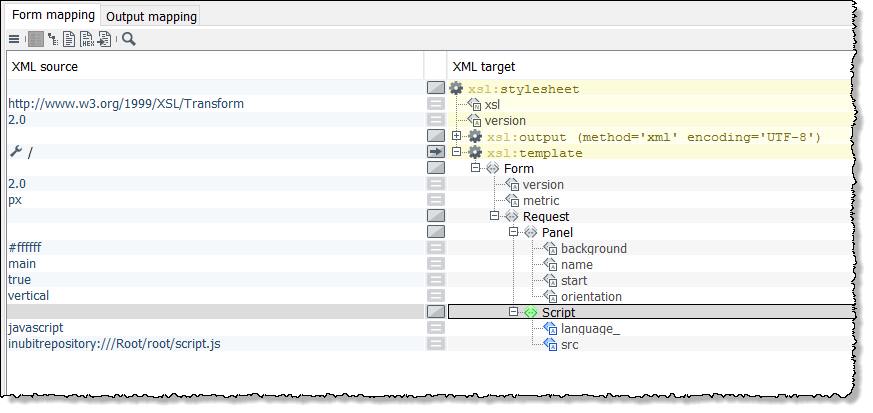
-
Type
javascriptas value for thelanguageattribute. -
For the
srcattribute, enter the internal repository URL to the file you want to export as a value. -
Click the right mouse button on the
Scriptitem, open the XSLT command assistant and select the elementvalue-of.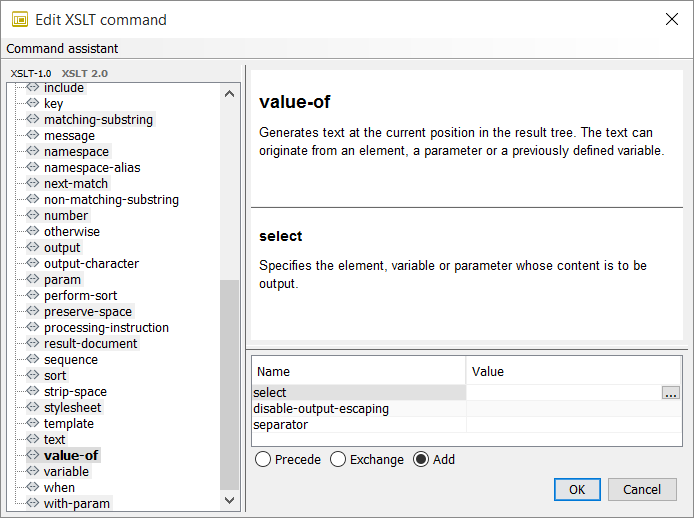
-
Click
 .
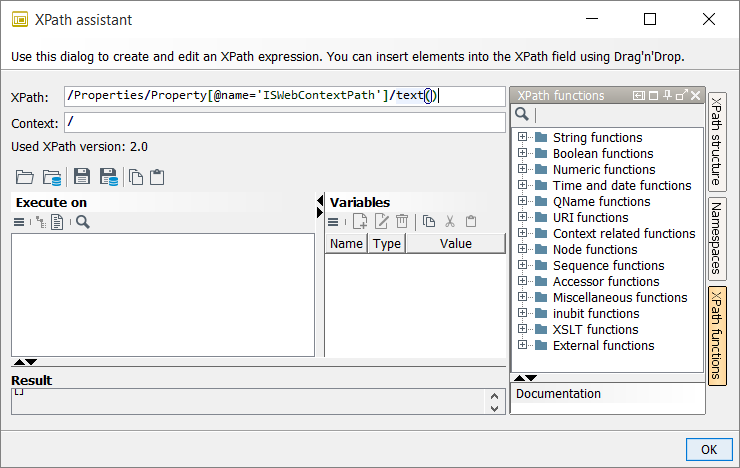
→ The XPath assistant opens.
.
→ The XPath assistant opens. -
Specify the respective Xpath to assign the variable.
-
Optionally, assign additional textnodes and variables.
