Installation
|
Prerequisites
|
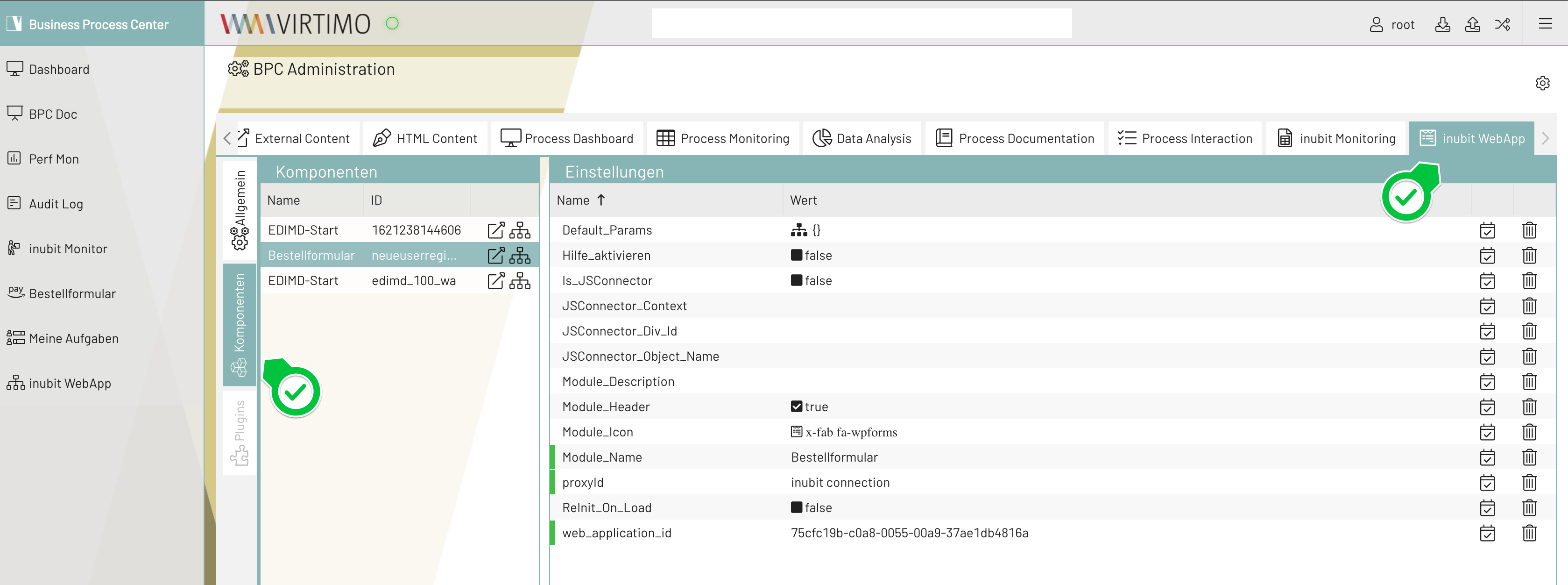
Loading the INUBIT WebApp module in BPC
-
Log in to BPC via the URL
http(s)://<portal hostname>:<port>, such as http(s)://localhost:8181/ -
After logging in, navigate to the administration area and select the INUBIT WebApp tab. The deployed WebApp modules are located under Components.
-
In the Components list, click the icon in the Actions column to preview the component. For everyday use, add it as a navigation menu item; see Navigation Settings.
-
The "Reinit_On_Load" property creates a new web application instance in INUBIT each time the user loads the component in BPC. By default, it is disabled.
