Display Leader Data Information
Leader data is information about, for example, products, suppliers, and customers. It is typically stored once and is available to the user for use and modification. The Data Management module is used to manage and maintain Leader data objects.
The data records are displayed collectively as a table. The columns contain the information from the detail view. (Depending on the template, the content may vary by customer.)
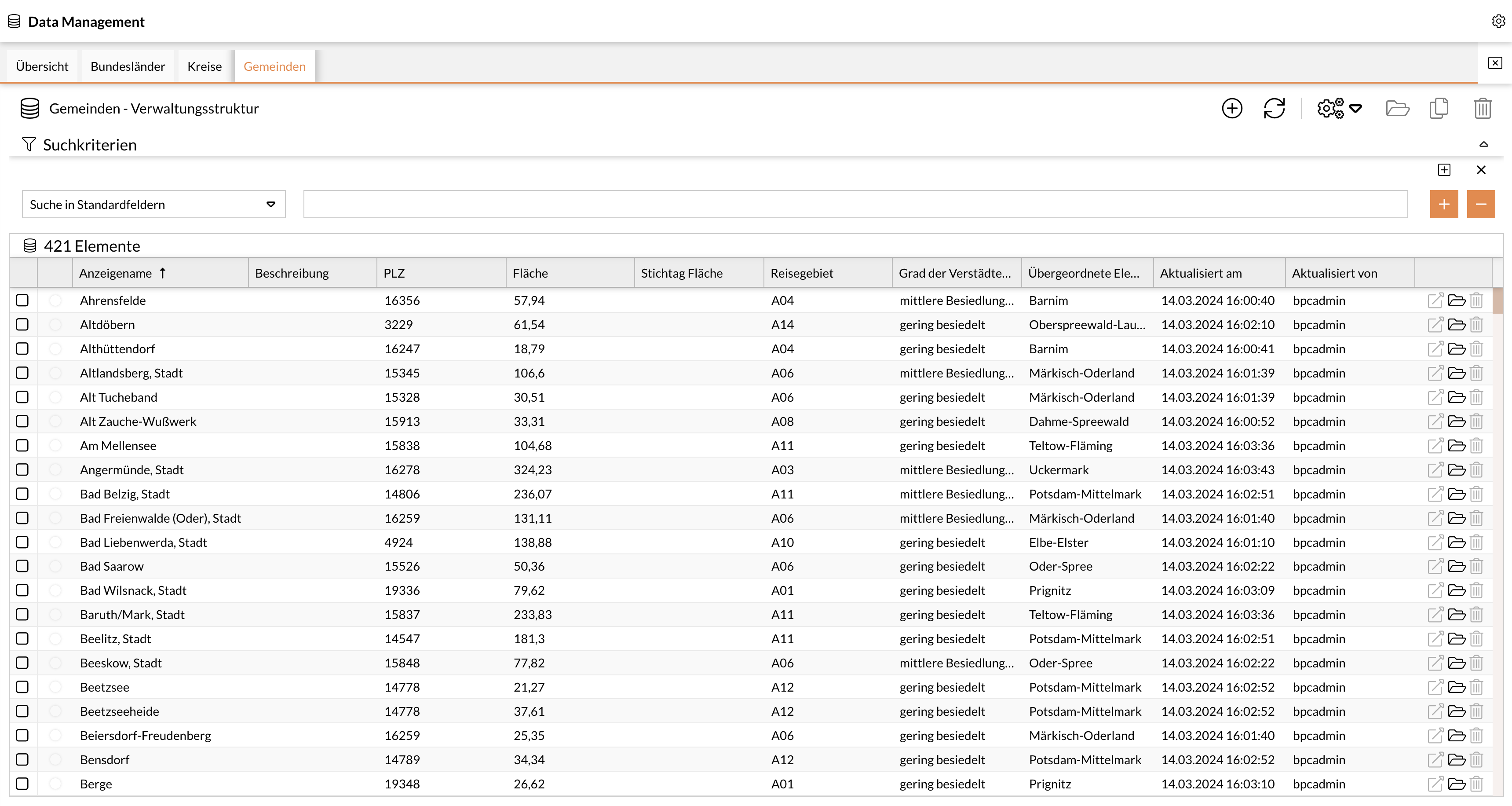
The following functions are available for Leader data:
-
Create a new element
-
Update element (Reload)
-
Module jump
-
Collaboration (e.g., create a task)
-
Trigger actions for an element
-
Open, delete, and copy a record
The following functions are available for records:
-
Delete a record
-
Open a record
-
Module jump
The list contains all created Leader data objects. You can view the list or a specific Leader data object by double-clicking the corresponding row. The detail view for the respective Leader data object (or attribute) opens.
Leader Data Details
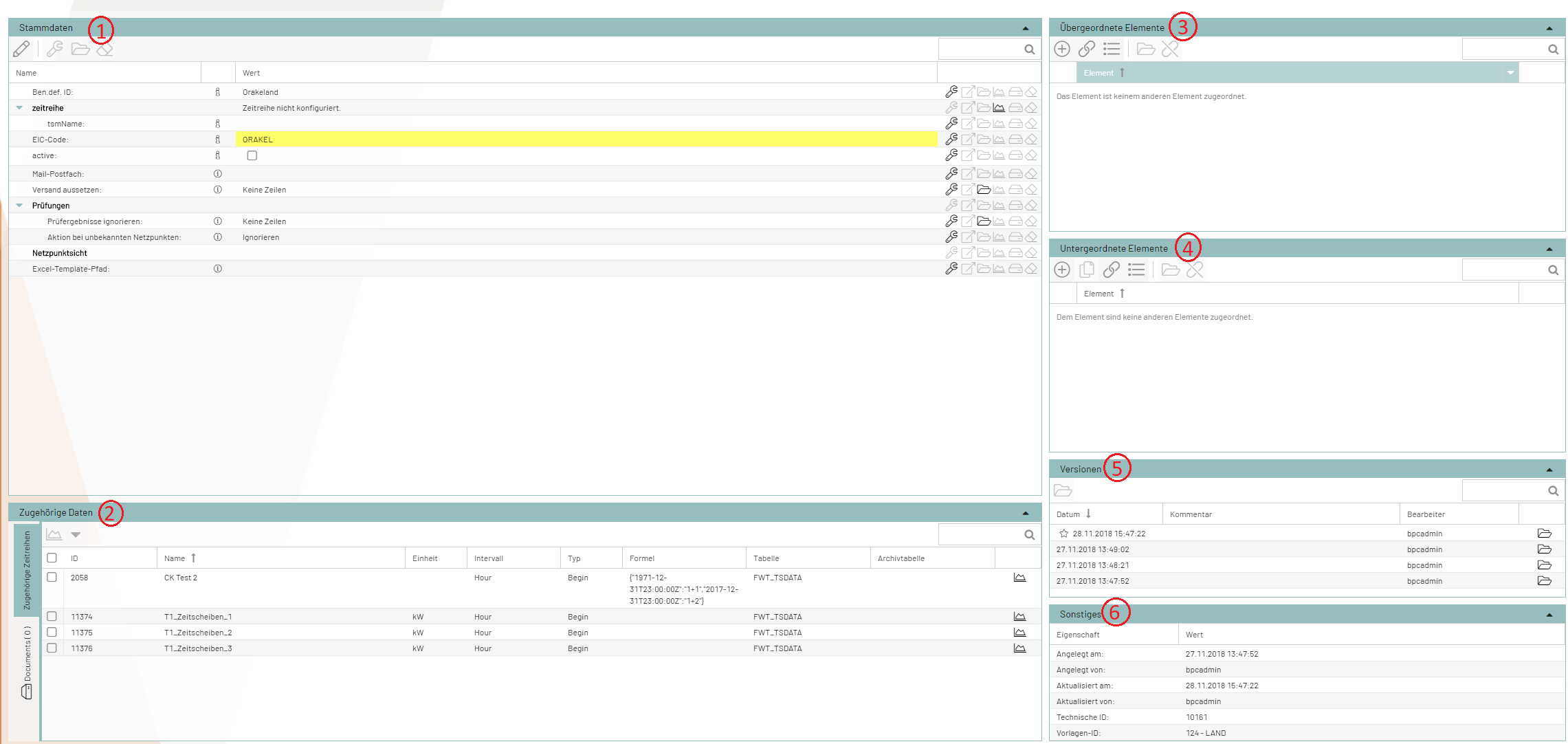
The Leader data details can be categorized into the following sections:
-
Leader Data
-
Associated Data
-
Parent Elements
-
Child Elements
-
Versions
-
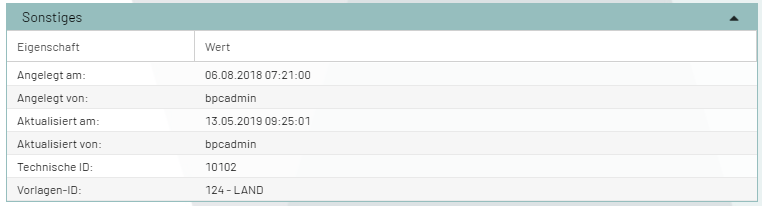
Miscellaneous/Change History
Leader Data
This section displays the main Leader data for an attribute, which can be edited using the following functions:
-
Add Attribute
-
Edit
-
Open Attribute
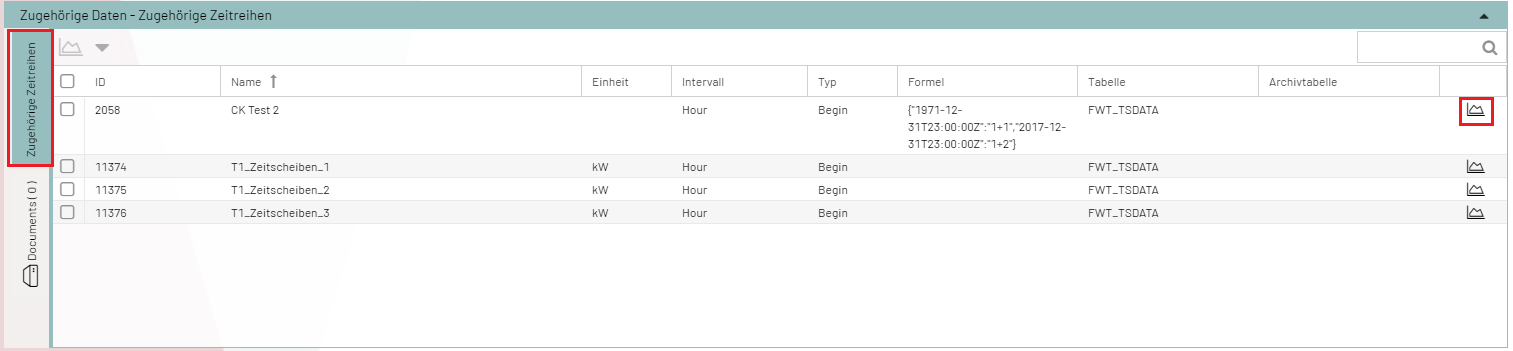
Related Data
This section contains links to other modules, if available. Different functions are available depending on the link.
Parent Elements
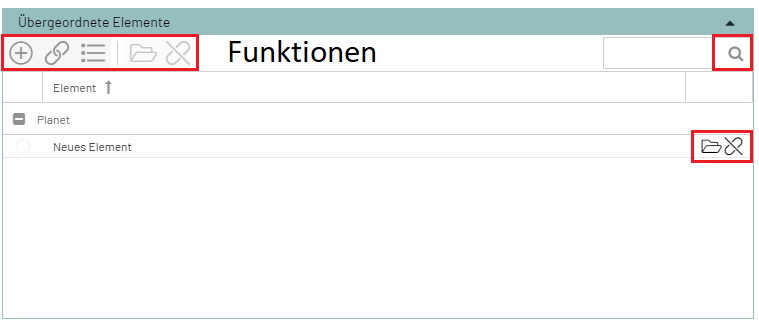
The attribute has exactly one parent attribute. The attributes are related to one another and refer to other entries. The parent attribute is displayed in this window.
The following functions are available for parent elements:
-
Create New Element
-
Link Element
-
Display Elements
-
Remove Assignment
-
Open Element
-
Search
Child Elements
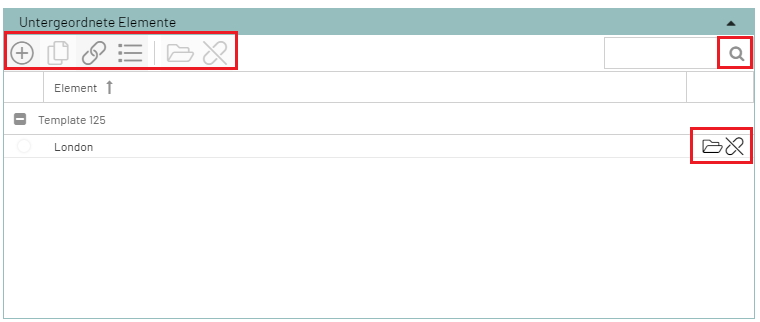
The attribute has exactly one child attribute. The attributes are related to one another and refer to other entries. This window displays the child attribute.
The following functions are available for child elements:
-
Create New Element
-
Link Element
-
Display Elements
-
Remove Association
-
Open Element
-
Search
Versions
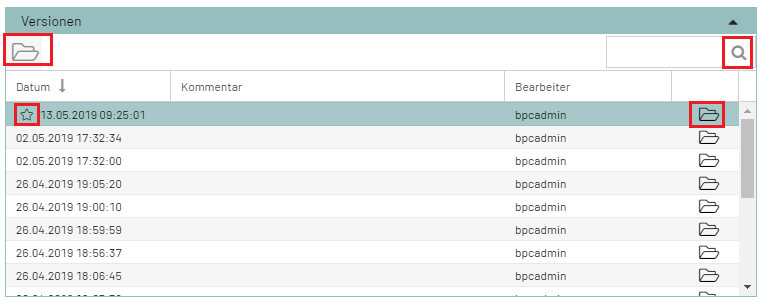
All changes (to both workflows and modules) are versioned. It is easy to track the changes that have been made. You can also switch to older versions and create tags that group multiple workflows into a single package (tag).
The following functions are available for versioning:
-
Open selected version
-
Search
-
“Star” means: currently active version
-
Open element