User Impersonation with Keycloak
This feature allows an authorized user to impersonate another user. This can also be referred to as user hijacking.
Usage
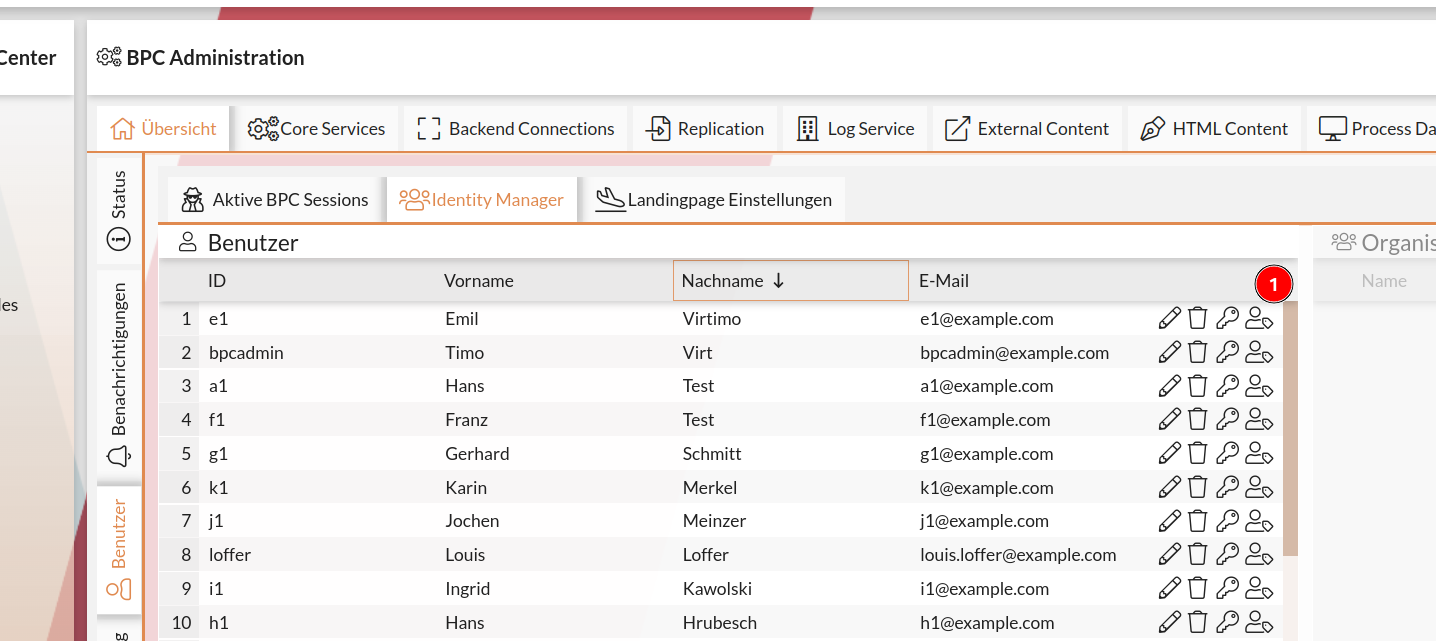
In the BPC user overview, an icon () is available that triggers impersonation. After clicking one of these icons, you are immediately logged in as that user.
Configuration
To enable impersonation, adjustments must be made in Keycloak and in the BPC.
Keycloak
Enabling the Required Feature
The so-called Token Exchange feature must be enabled when starting Keycloak via Java Opts (-Dkeycloak.profile.feature.token_exchange=enabled); otherwise, you will receive the error "Feature not enabled" when attempting to perform user hijacking (= impersonation).
|
In the Keycloak archive we’ve provided, this is already configured via a |
Roles
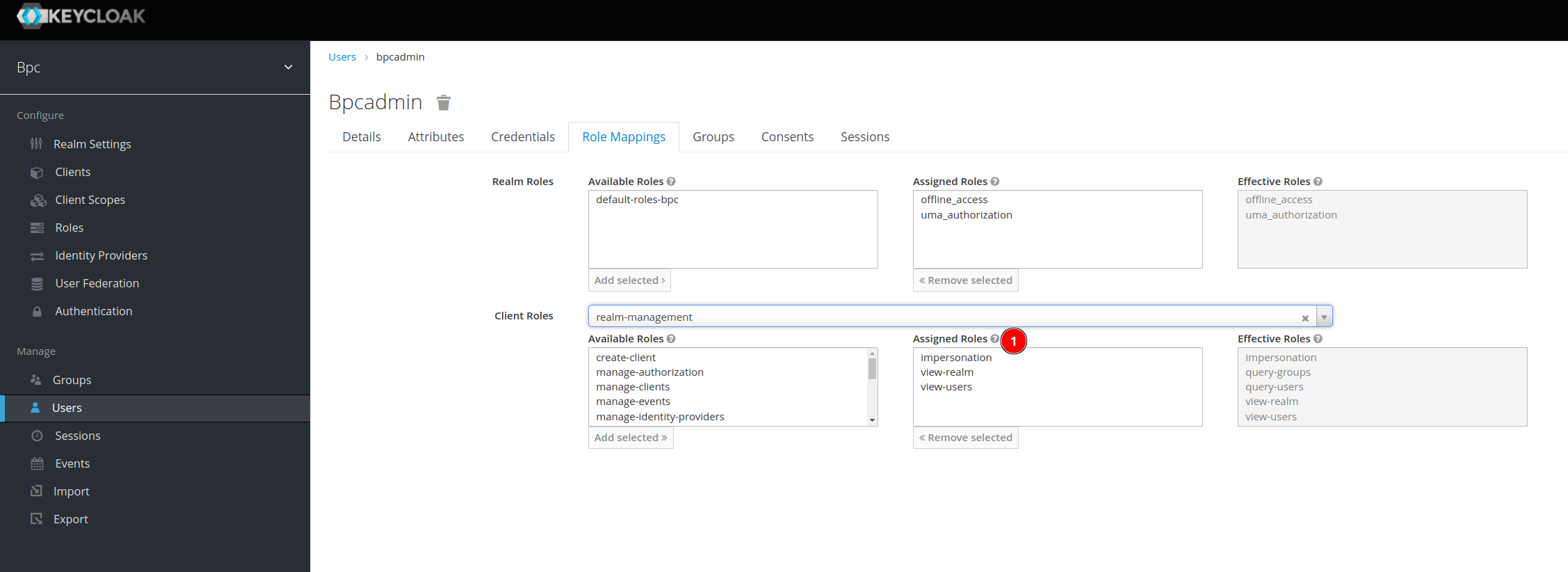
Users who are supposed to be able to perform impersonation must have the special role impersonation.
Enable Impersonation Detection
In order for the BPC to detect that one user is impersonating another, the transmission of this information must be configured on the client using a mapper.
To do this, go to the client used by the BPC in Keycloak.
At Mappers, these can be added using Add Builtin.
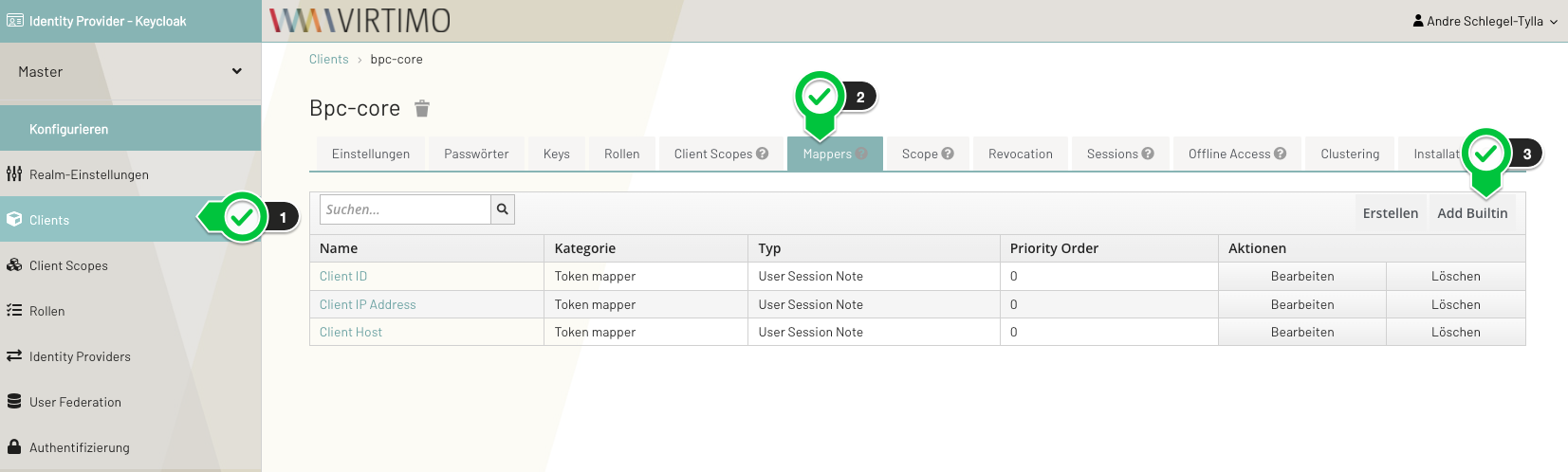
The following mappers must be added:
-
Impersonator Username
-
Impersonator User ID
Once these mappers are set, information about who is impersonating the current user is stored in the user session.
BPC
Clicking the icon in the BPC contacts Keycloak and requests impersonation. Afterward, the BPC must be reloaded. To do this, it is essential that the two core settings in the BPC— Core_BaseURL and Core_ClientPath —are set correctly. These two values are used to generate the URL that the BPC frontend then uses to reload the page.
For example, the BPC can be accessed at the following URL: https://bpc.virtimo.net/dev/support/3.4.x/
In this case, the two settings must be set to the following values:
| Setting: | Value: |
|---|---|
|
|
|
/dev/support/3.4.x/ |
