Deleting Module Components
Deleting Module Components
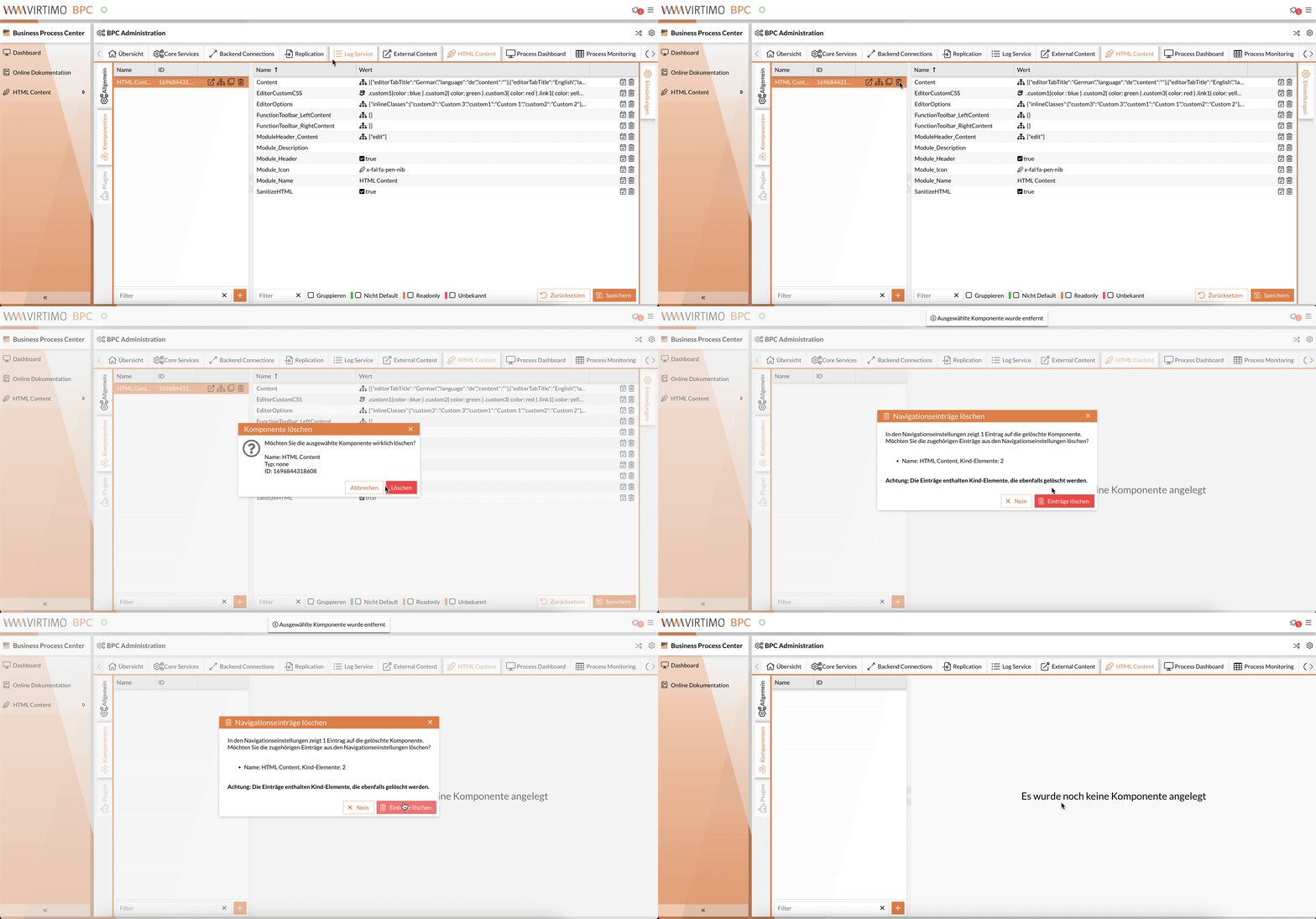
In the respective module areas (Dashboard, Monitor, etc.), all existing module components are listed on the left-hand side. If you want to delete a component that has been created for a specific module (Dashboard, Monitor, etc.), you can click the Delete button (trash can icon) in the row containing the module’s name, ID (and type).
A dialog box will open where you must confirm the deletion once.
If there are navigation entries that point to the component, another dialog box will open with information about the navigation entries and any potential child elements of the links. Here, you can choose whether these navigation entries (including all child elements) should also be deleted.
Keywords:
