Leader Data Objects
Data Management is used to map all necessary Leader data for an application and offers comprehensive interfaces for embedding data and metadata into processes and application workflows. Data object structures can be flexibly created, modified, or extended for this purpose using templates. Various data objects can then be related to one another as parent or child elements and managed in a dependent manner. Leader data creation and modification can be performed manually or automatically, with all changes subject to validation, versioning, and approval.
Templates
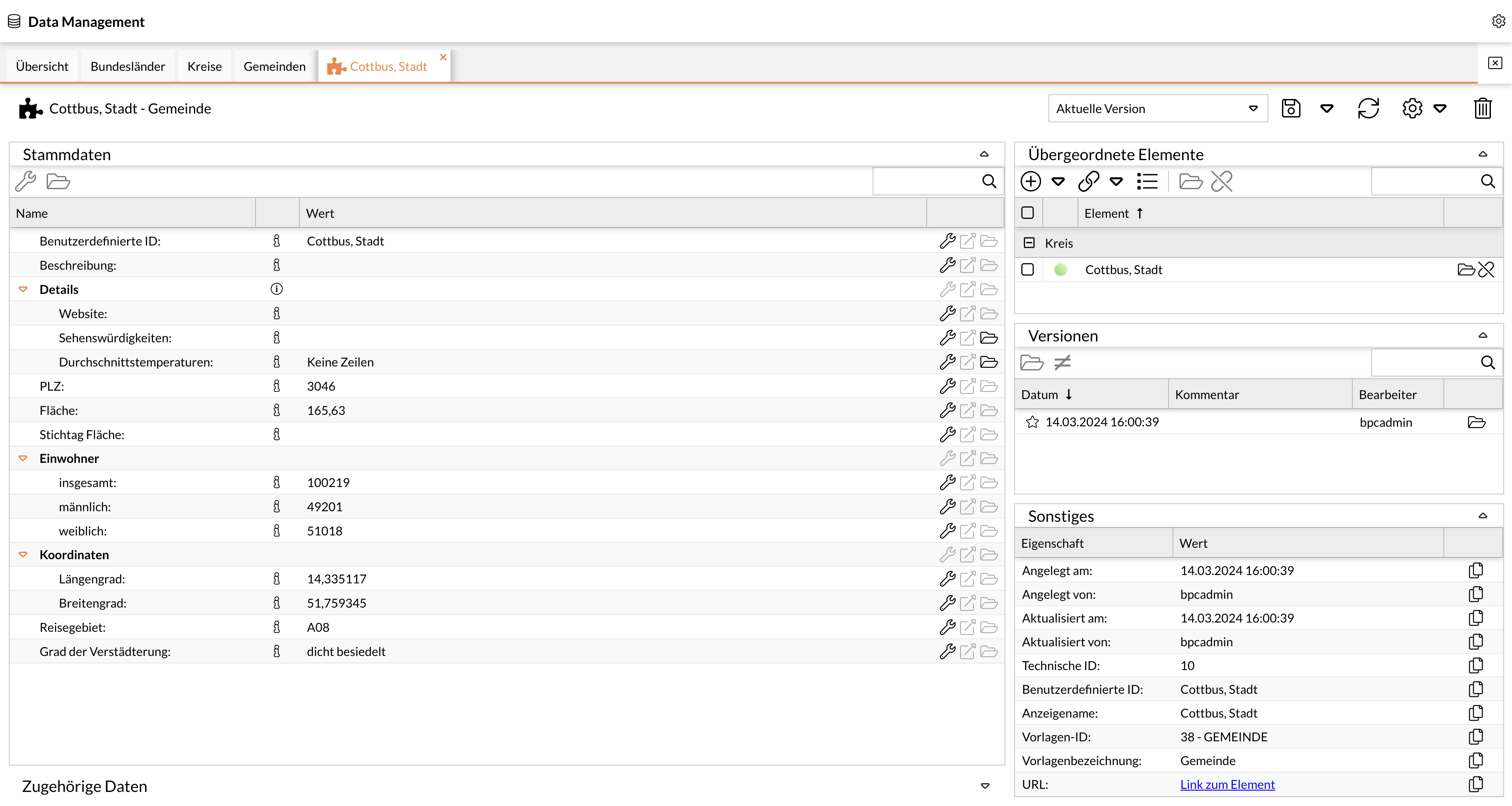
Leader data is mapped through configuration (modeling) based on so-called templates. Activating these templates automatically generates the data structure in the database—including the user interfaces for searching and maintaining Leader data. This flexible approach enables the mapping of customer-specific Leader data without programming.
The base installation includes templates that can be individually created or customized. The design layout is also configurable. When creating templates, all common data types (strings, dates, lists, numbers, checkboxes) are supported.
Optionally, Data Management can be extended to include the ability to define template-based views for maintaining the respective data, thereby enabling role-specific data maintenance when multiple roles are assigned to a Leader data object. Role-specific execution of validation processes can be enabled by default through the configuration of technical workflows.
Hierarchical Attributes
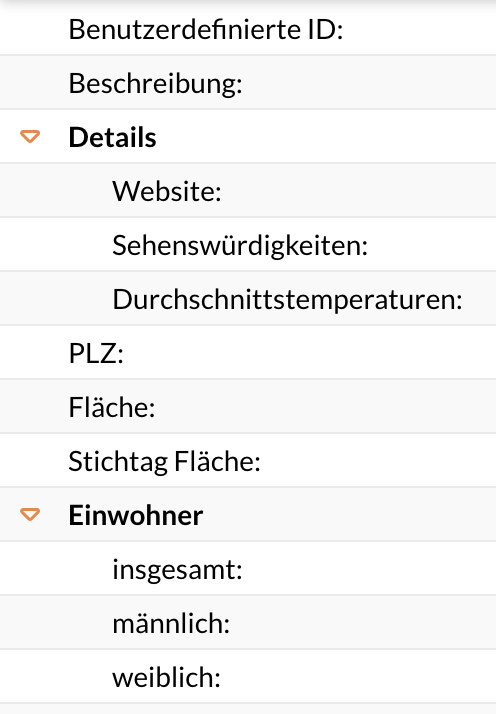
For Leader data, attributes can be created and organized hierarchically, meaning they are displayed in a ranked order.
Relationships Between Objects
The hierarchical order of the attributes also establishes a hierarchical relationship between them. They form a tree, meaning each attribute has exactly one parent and one child attribute. The attributes are related to one another and refer to other entries.
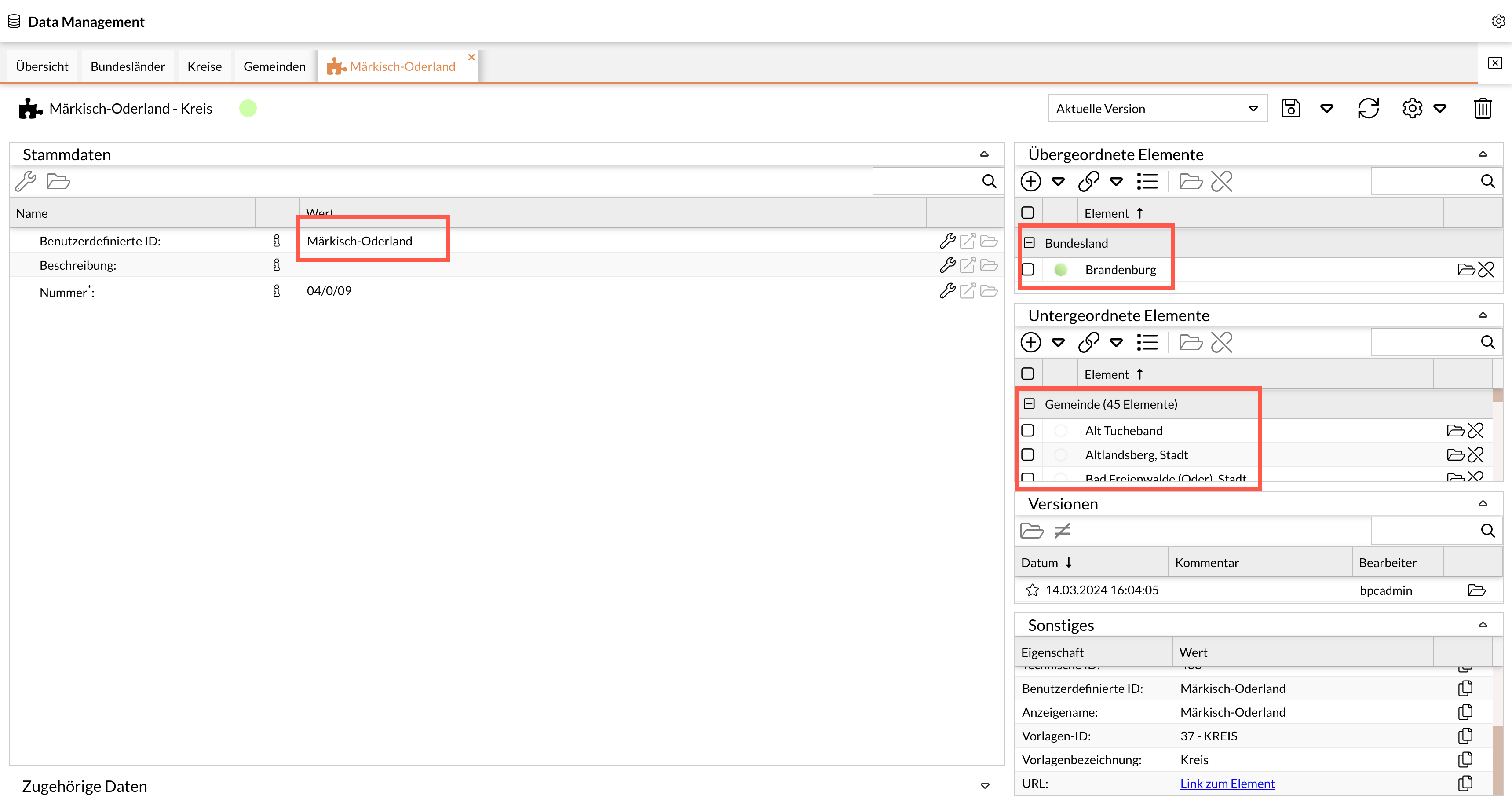
As an example for the “Regional Structure” domain, the relationship might be as follows:
The parent element of the displayed Leader data object “County” is the “State,” and the child elements are the “Municipalities.”
See also Linking Leader Data Objects
Versioning
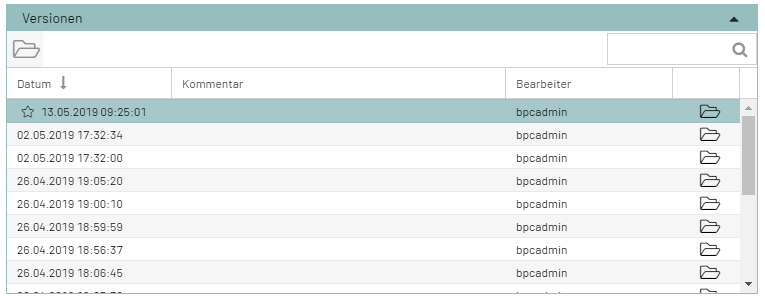
All changes (to both workflows and modules) are versioned. It is possible to track the changes that have been made. It is also possible to switch to older versions and to create tags that combine multiple workflows into a single package (tag).
Any version can be accessed via the “Folder” icon.
Active version: The current validity of a version can be activated via the “star.” This means that even an older (or newer) version can be assigned validity.