Linking Leader Data Objects
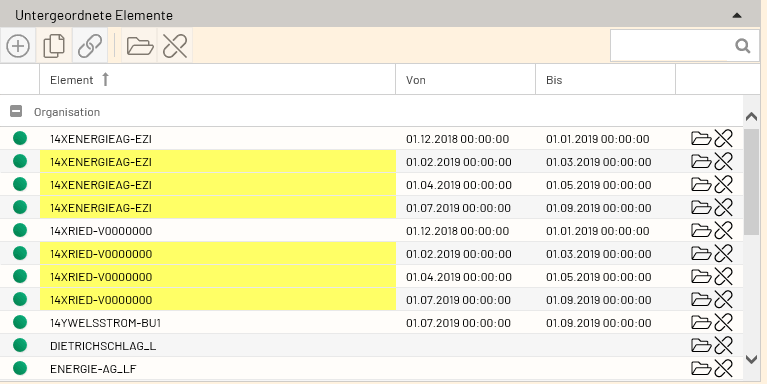
Each Leader data object can be linked to another Leader data object (so-called object relationships).
Assigning Elements
Leader data can be linked to one another.
For example, individuals can be assigned to an organization.
Depending on how the people are to be connected, an entire organizational chart can be created.
People can be assigned to an organization with any number of people beneath them.
-
Assign an existing element to the element using the “Bracket” icon (or assign a new element to the element using the plus sign).
-
Display all existing elements; select an element and check the box.
-
Click the “Assign” button.
-
Then save.
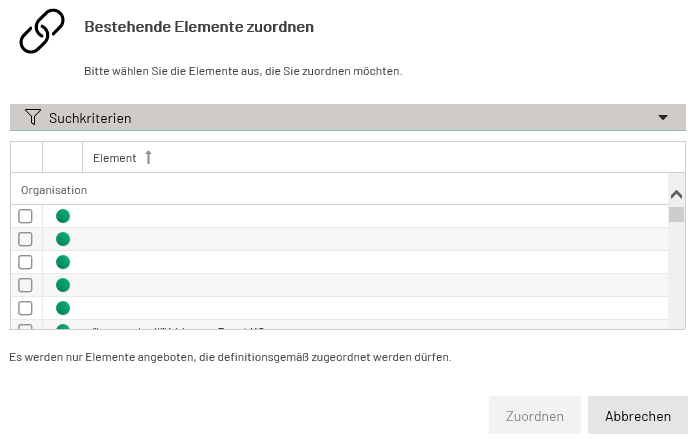
The assignment can be removed by clicking the “Bracket” icon.