Copy Module Components
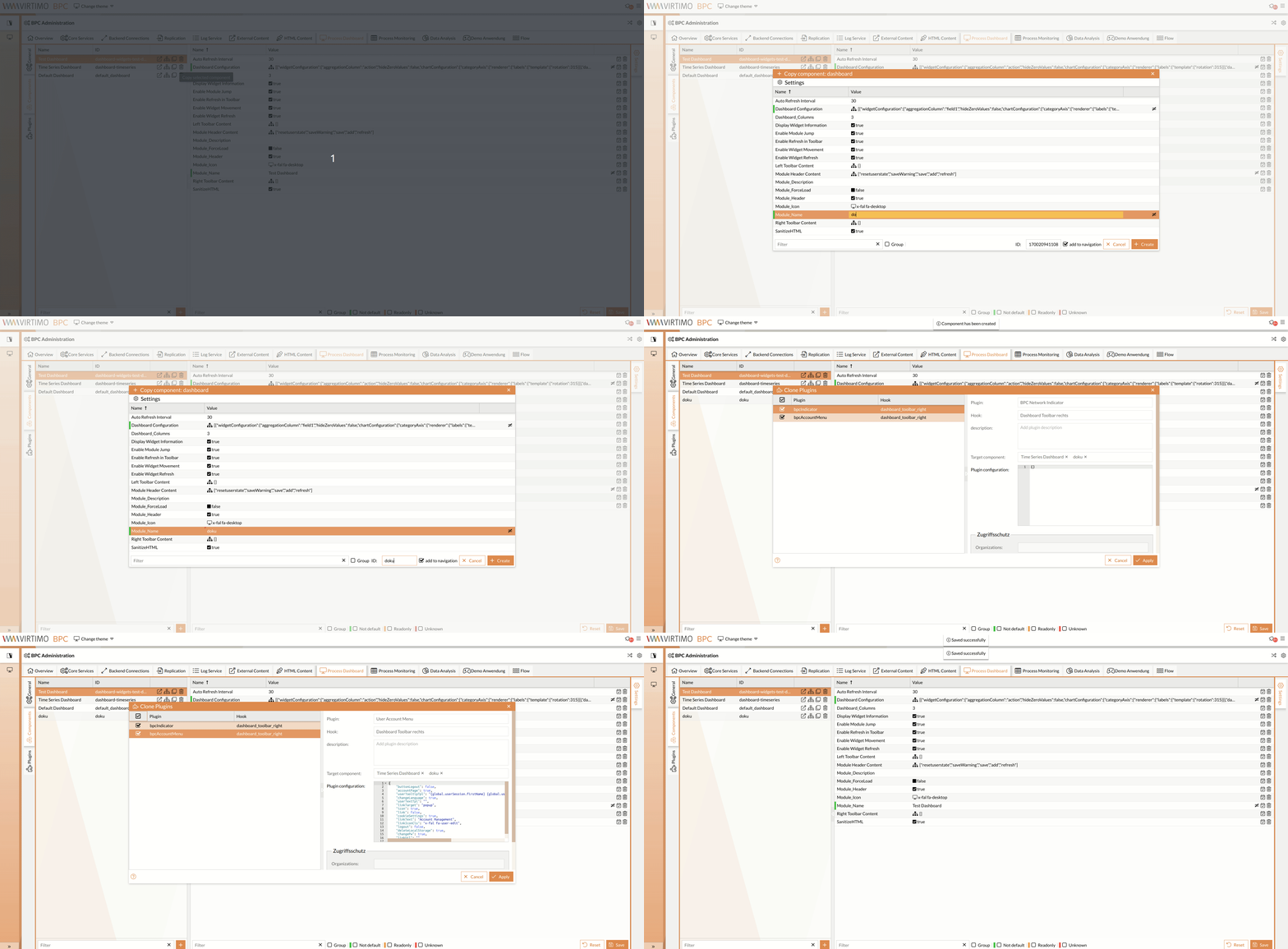
In the respective module sections of the BPC Administration, all existing module components are listed on the left-hand side. There, you can copy the desired component of a specific module (dashboard, monitor, etc.):
-
Click the button in the row containing the component’s name, ID (and, if applicable, type).
A dialog for entering module settings opens; see Creating Module Components.
-
Optional: Add component to navigation
If you want to add the component directly to the navigation, leave the checkbox at the bottom of the settings window selected.
The dialog closes automatically after creation.
-
Optional: Plugin Selection
If plugins are configured on the original module component Plugins, a dialog for cloning the plugins will open.
In the list, select the checkboxes for the desired plugins that you also want to transfer to the new module component.
The plugin settings are displayed on the right-hand side. The name of the new module component automatically appears in the "Target Component" field.The plugin settings view is for informational purposes only and cannot be modified at this time.
To change the settings, see Plugin Configuration.