Deployment of BPC Modules and Themes
There are various methods for deploying a module or theme. The following provides a comprehensive overview of all available options. For detailed instructions on deploying BPC instances, including configuring target systems and using the deployment wizard, see Deployment.
Deployment via the deploy folder
The generated WAR file should be copied to the deploy folder on the Karaf server.
-
Manually
copy the WAR file from the respective repository folder/build and paste it into karaf-4.x.x/deploy. -
Via Terminal
, e.g., using the command
cp build/bpc-theme-template.war /usr/local/opt/bpc/karaf-4.2.0-SNAPSHOT/deploy
Deployment via the module upload in the BPC
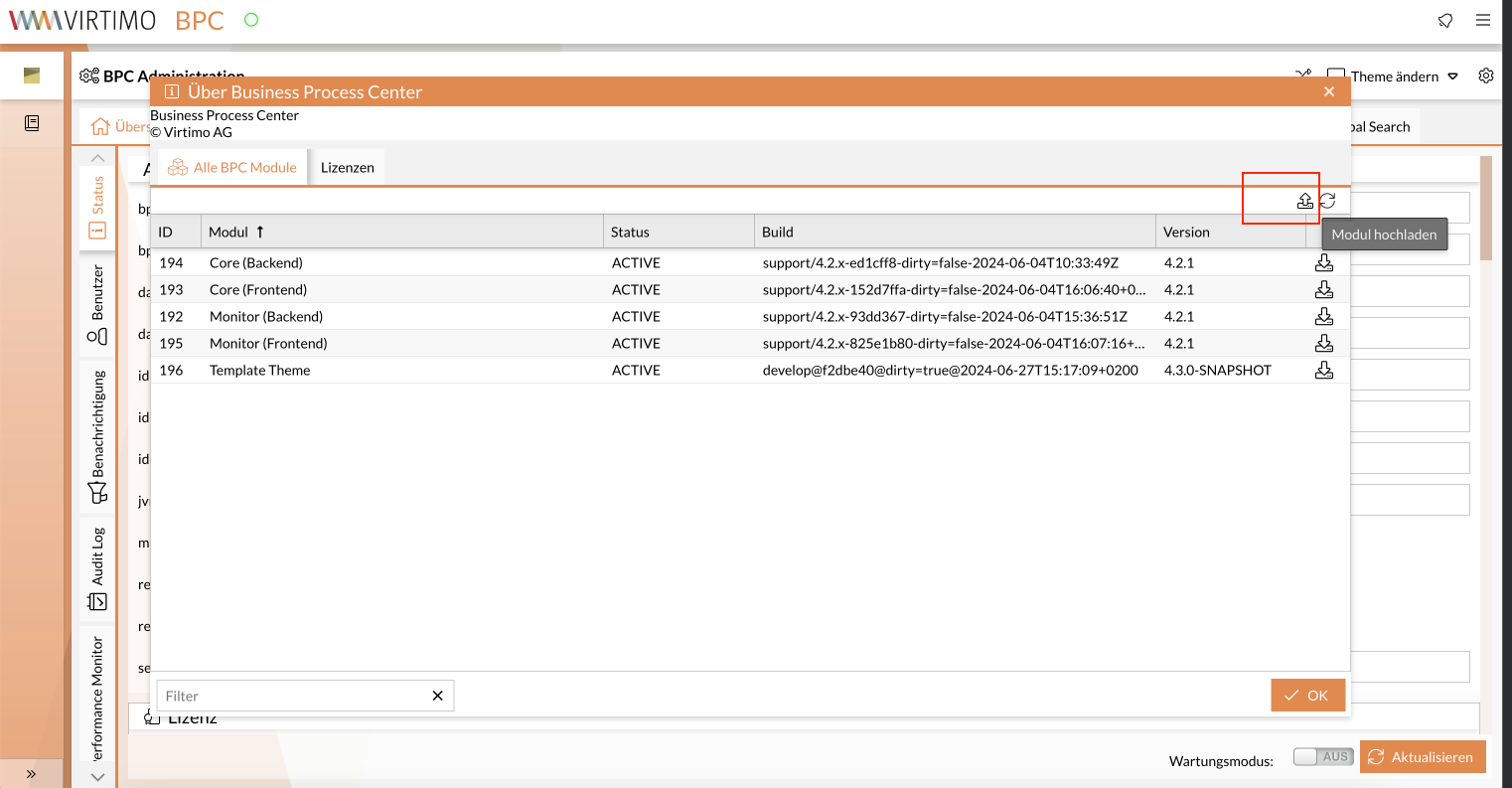
The WAR file can also be uploaded via the BPC user interface:
To do this, open the Global Menu > About Business Process Center.
The button for module upload is located in the window that opens:
Deployment via SSH
Prerequisites
To successfully complete the deployment process, the following prerequisites must be met:
-
Public/private key authentication is set up.
You can find the generated key in the directory~/.ssh.Alternatively, you can also use username and password authentication. Ensure th that the “ssh” role is set for the user in the file
users.properties. -
Your public SSH key is stored on the server.
The key must be copied to the file~/.ssh/authorized_keyson the target server. This can be done by an administrator or an authorized person.
Deployment and Building the Module
-
Build the module to test whether everything is working:
-
Unix systems
-
Windows systems
./gradlew --stacktracegradlew --stacktrace -
-
Use
scp(Secure Copy Protocol) to transfer the WAR file from your local computer to the target server.
The default port is 8101.scp -P PORT PFAD/ZUR/DATEI USER@SERVER:/deployExample:
scp -P 8101 path/to/local/war/mywar.war virtimo@<ip_address>:/deploy
Your build artifact has now been successfully deployed to the BPC system and activated immediately.
Using the Deployment, you can transfer individual modules and BPC configurations from one BPC installation to another within the BPC.
