Network Indicator
This plugin includes a colored icon that displays the current connection status to the server, as well as network activity and maintenance mode.
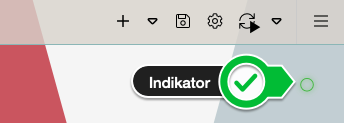
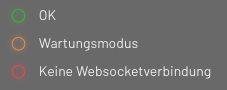
Color Legend
The indicator’s color indicates the connection status to the server. The status is also displayed as a tooltip.
In addition, active network traffic is represented by an animation around the indicator:

Interactions
By double-clicking on the network indicator, you can show or hide the header (AppToolbar) and the navigation bar together (kiosk / full-screen mode).
Keywords:
