IGUASU connector
Use
The IGUASU connector enables communication between the Virtimo INUBIT Process Engine and a Virtimo IGUASU cloud server.
Connector types
Depending on the configuration, the connector offers the following functions:
-
Input Listener Connector
The connector acts as an HTTP server and waits for requests from clients. This connector type can only communicate synchronously:
-
Synchronous communication
The receipt of a request starts the workflow behind the input listener connector. After workflow execution, INUBIT sends the output message and variables of the last module in the workflow back to IGUASU.
-
-
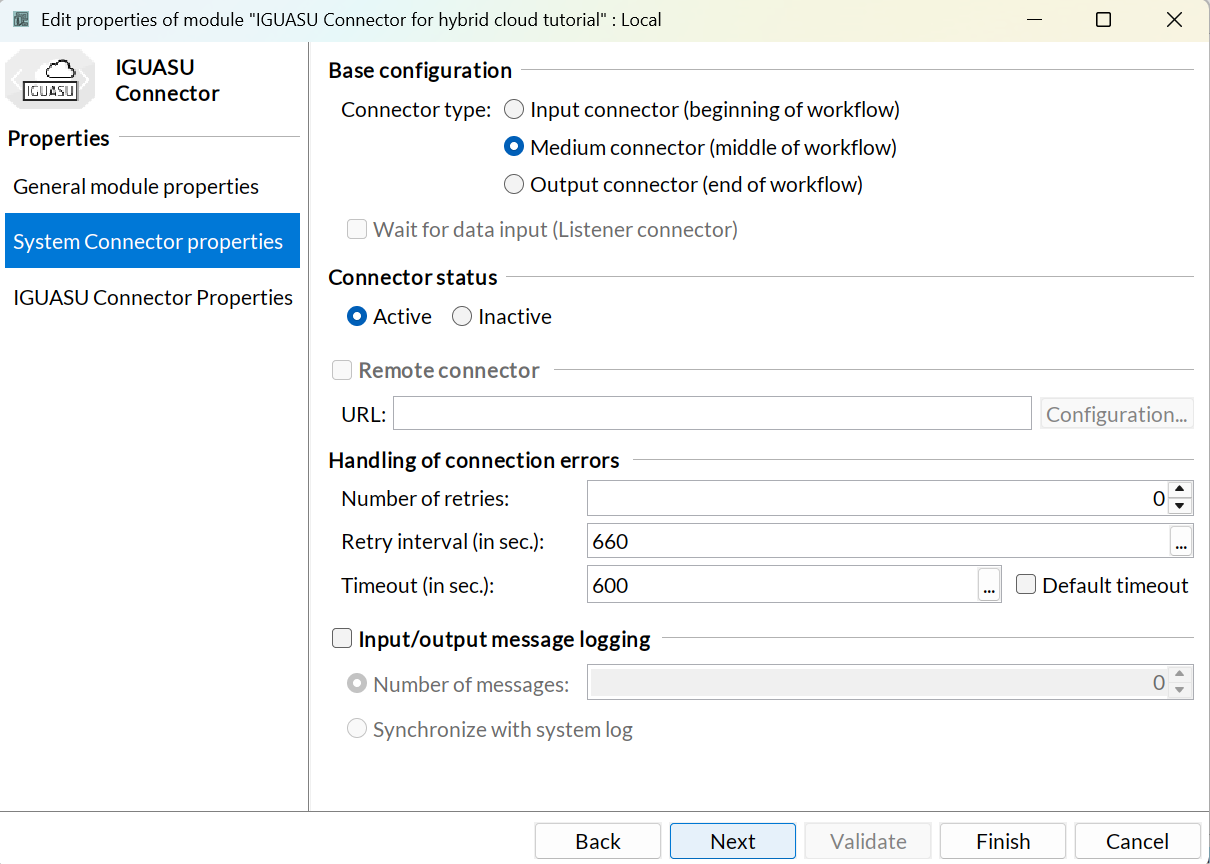
Medium/Output Connector
-
In the function of a client, the connector sends a request to the IGUASU cloud server. The variables and input messages are sent back to INUBIT after successful execution.
If the request is successful, the response from IGUASU is set as an output message. Otherwise an error is generated and the error status code is displayed in the variable.
-
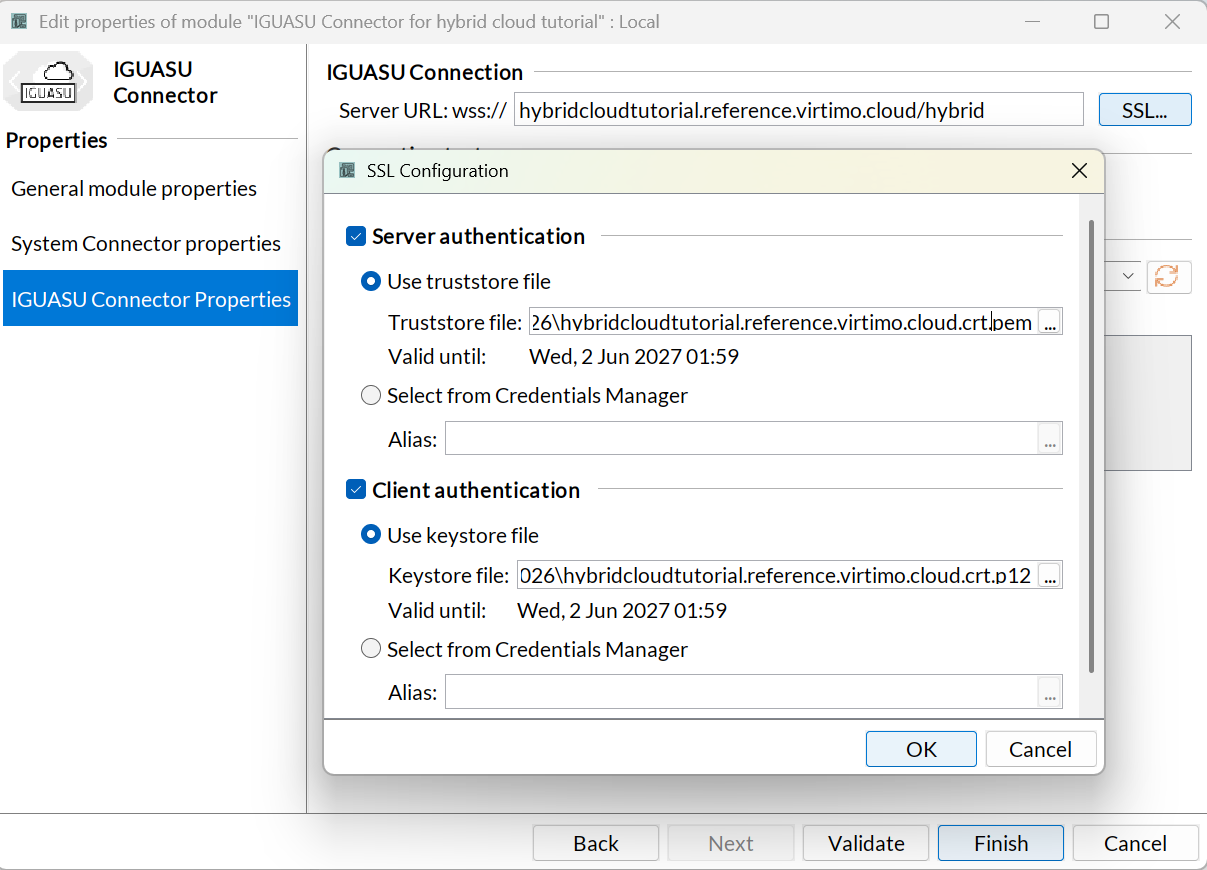
The IGUASU connector supports the WSS protocol. To enable WSS, provide keystore and truststore in PKCS12 format.
IGUASU connector properties dialog
This dialog offers the following options:
-
Input Listener Connector
-
Server URL:
URL of the IGUASU Cloud instance. This corresponds to the SSL Passthrough Hostname that you have configured in IGUASU.
Make sure the URL contains the suffix/hybrid(e.g.your-iguasu-instance.virtimo.cloud/hybrid).
-
In the IGUASU-Connector Properties dialog you set the URL of the cloud instance. After publishing and activating the module, the connection to the IGUASU cloud server is established.
|
Parallel execution of INUBIT workflows is possible. |
-
Medium/Output Connector
-
Server URL:
IGUASU Cloud instance URL.
-
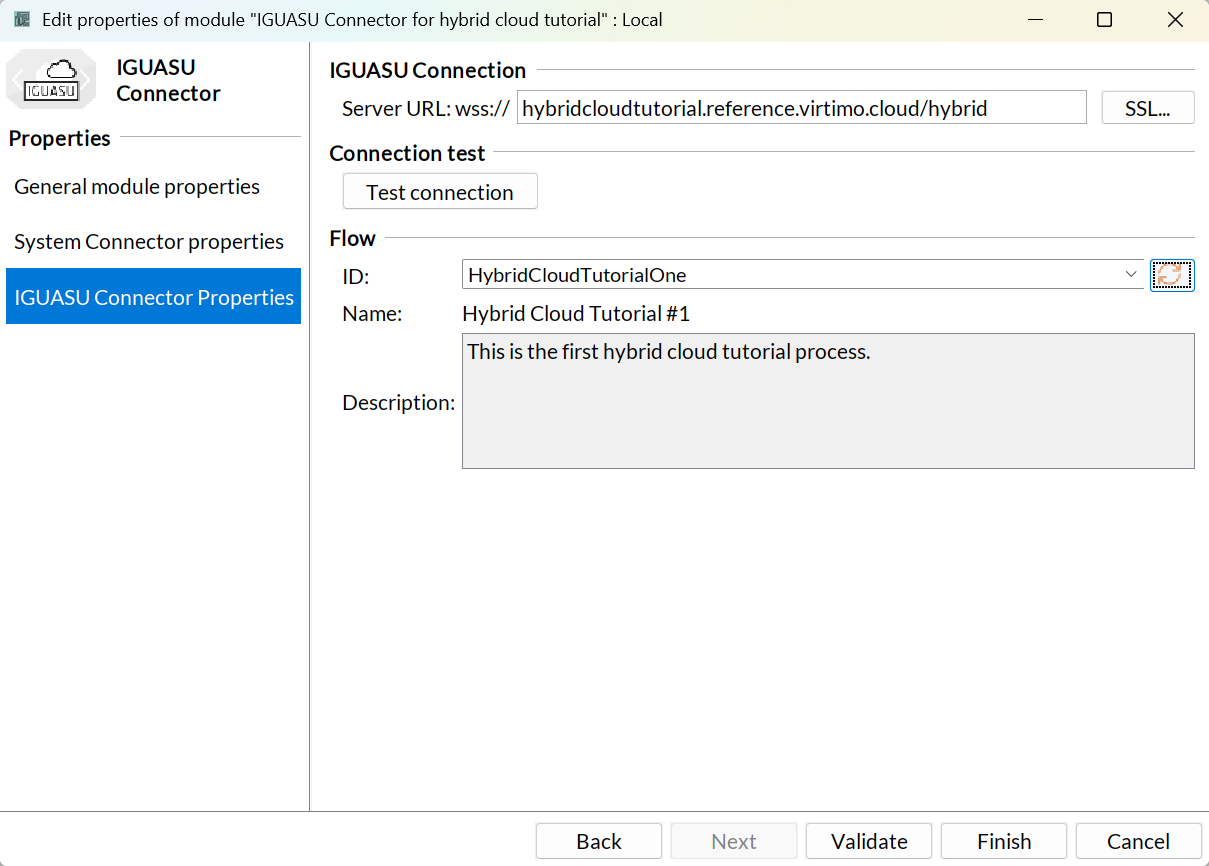
ID:
ID of the flow in IGUASU
-
Name:
Name of the flow in IGUASU
-
Description:
Description of the flow in IGUASU
-
In the IGUASU-Connector Properties dialog you set the URL of the cloud instance. Select the Refresh button to load all active flows available in IGUASU.
-
SSL
Service for configuring the server or Client authentication.
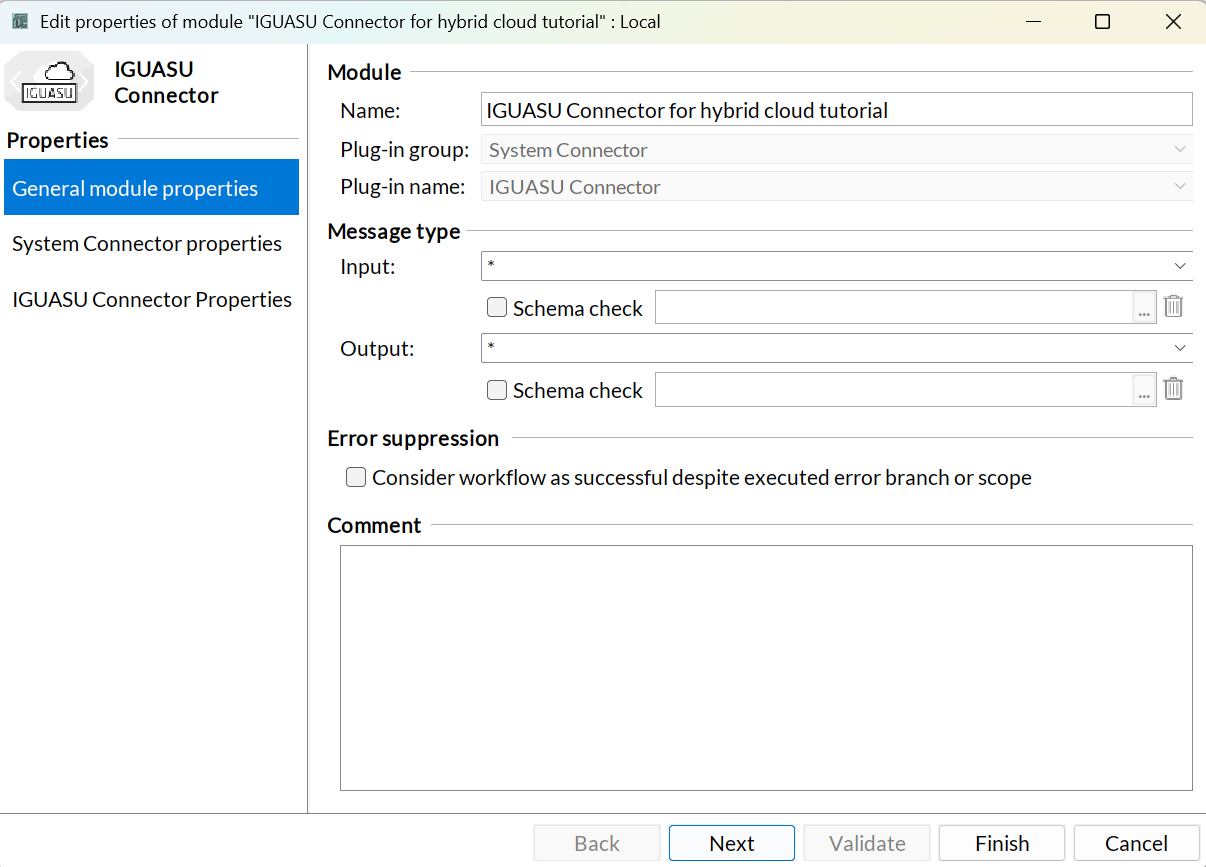
IGUASU connector example (Hybrid Cloud Tutorial)
An example configuration of the IGUASU connector as part of the hybrid cloud tutorial can be seen in the following figures:
For the SSL configuration of the IGUASU connector, the IGUASU-side certificate is uploaded as a truststore file and the INUBIT-side keystore is uploaded as a keystore file.
The appropriate IGUASU listener can then be selected in the Flow section, which also makes the name and description visible, as shown in the following figure:
|
If no IGUASU listener is displayed in the IGUASU Connector Properties menu of the IGUASU connector: Make sure that the state of the ListenInubit processor must be set to START so that it is displayed and can be called from INUBIT. |
