Security Cockpit
The Security Cockpit serves as a central dashboard that visualizes the overall security status of the underlying INUBIT system. It highlights security risks and enables them to be quickly identified and addressed.
|
Only users with the Security Cockpit permission can view the Security Cockpit tab. |
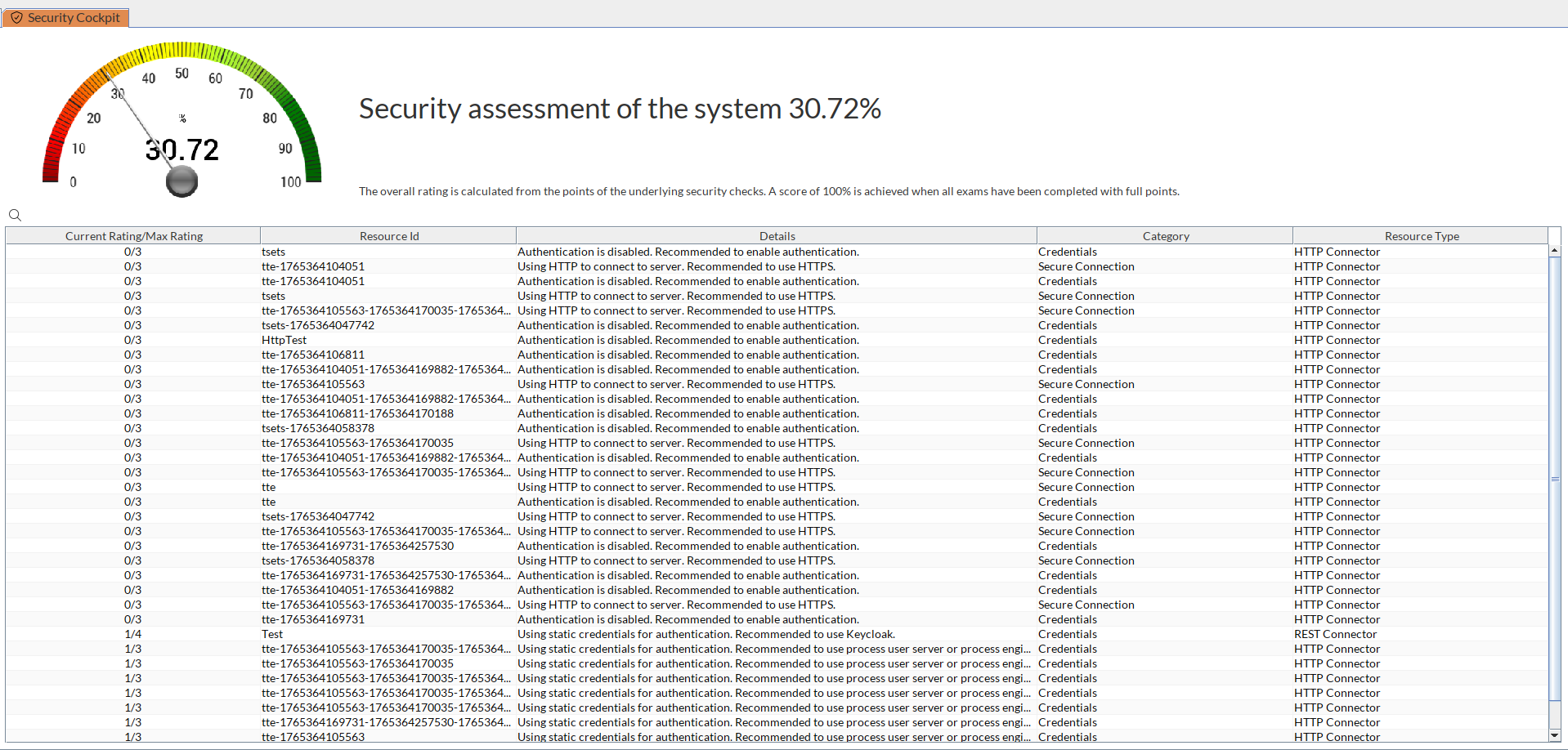
Summary Display
The circular gauge on the left displays the overall system security score based on the results of all checked points.
Detailed Table
While the gauge displays the overall status, the table shows all the details. Browse the results and check the details column to see how the results classified as insecure can be further improved.
Security Score Calculation
Each result contributes to the calculation of the overall status. The more secure the selected configurations are, the higher the overall score will be. The calculation is performed continuously while the Process Engine is running and is updated with every change to the system. With each patch update of the Process Engine, potentially additional areas may be added that are checked and reported. Therefore, regularly refresh the view in the Workbench and check the results.
